

Available Configurations
- Call Summaries
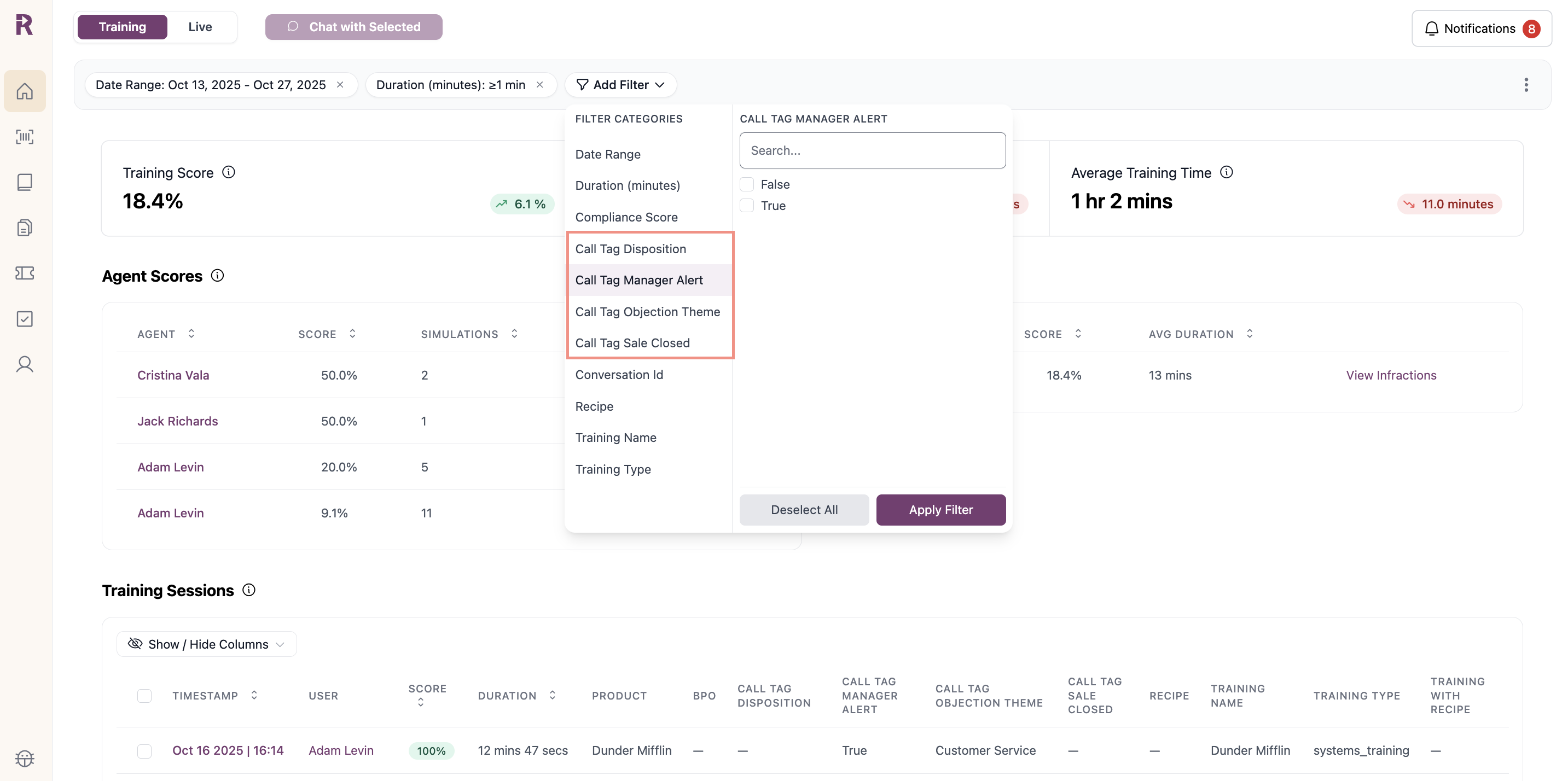
- Filters
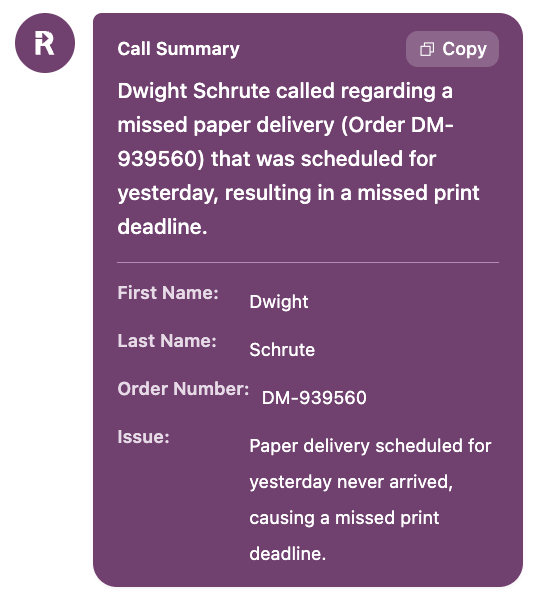
- Agent Assist Summary
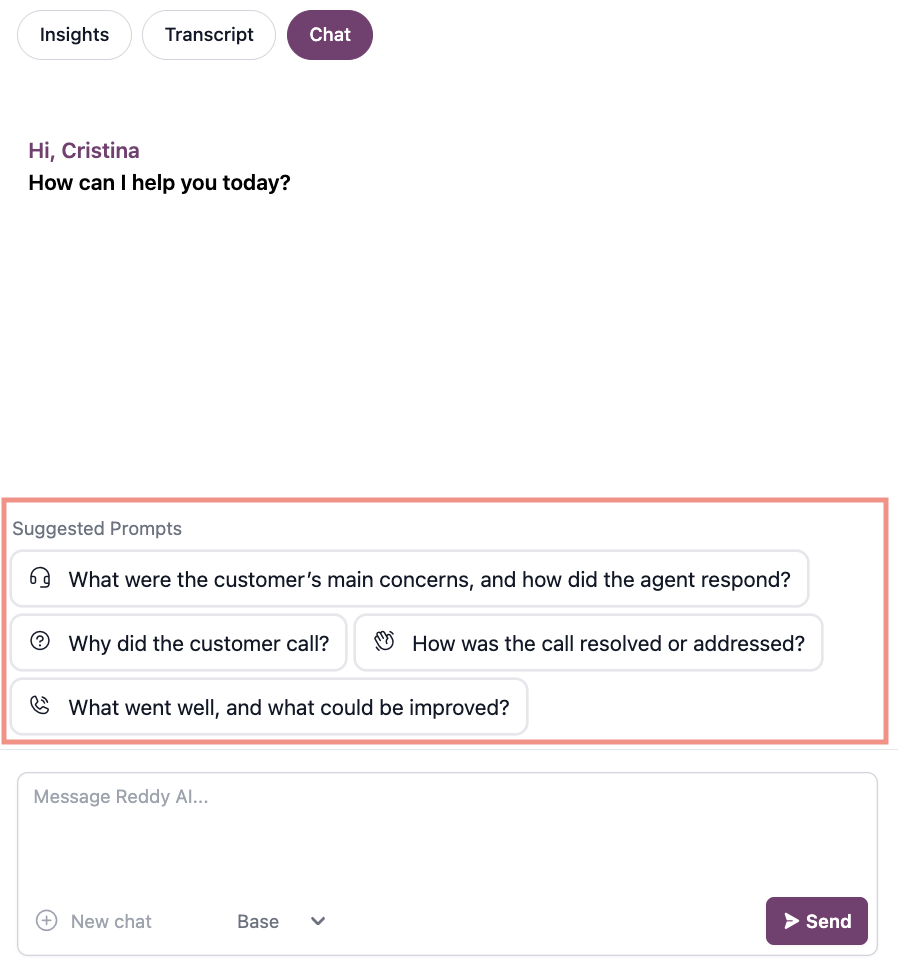
- Chat Prompts
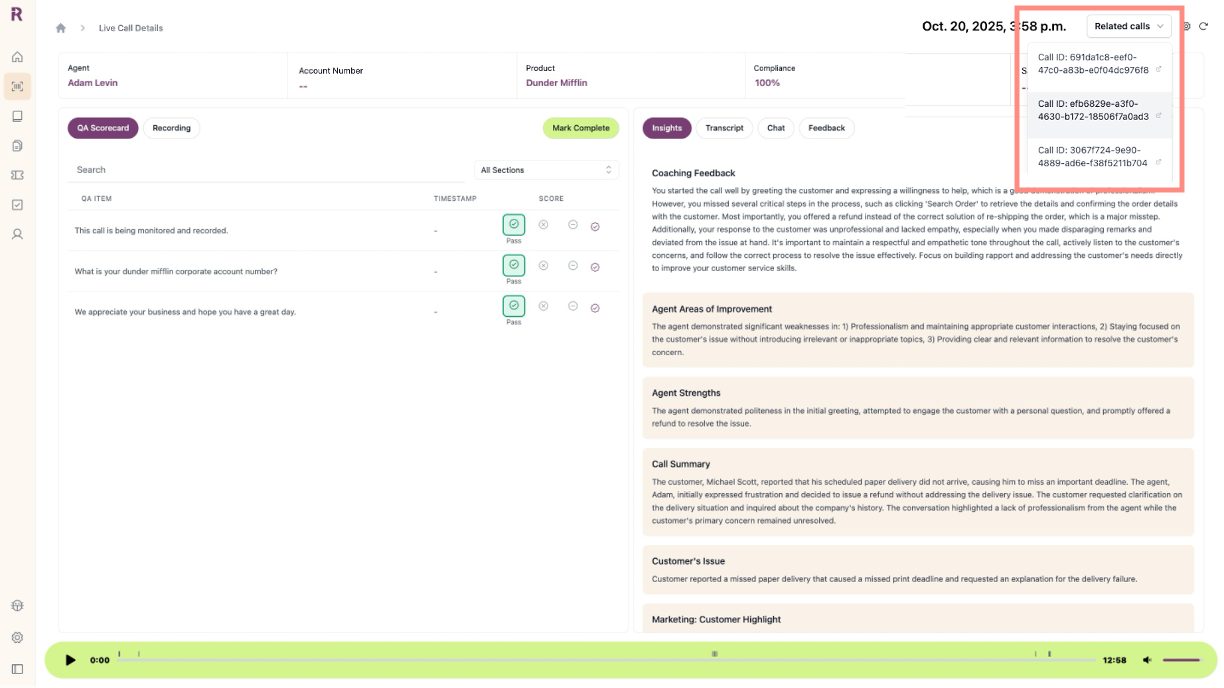
AI-generated insights created for every call.What You Get: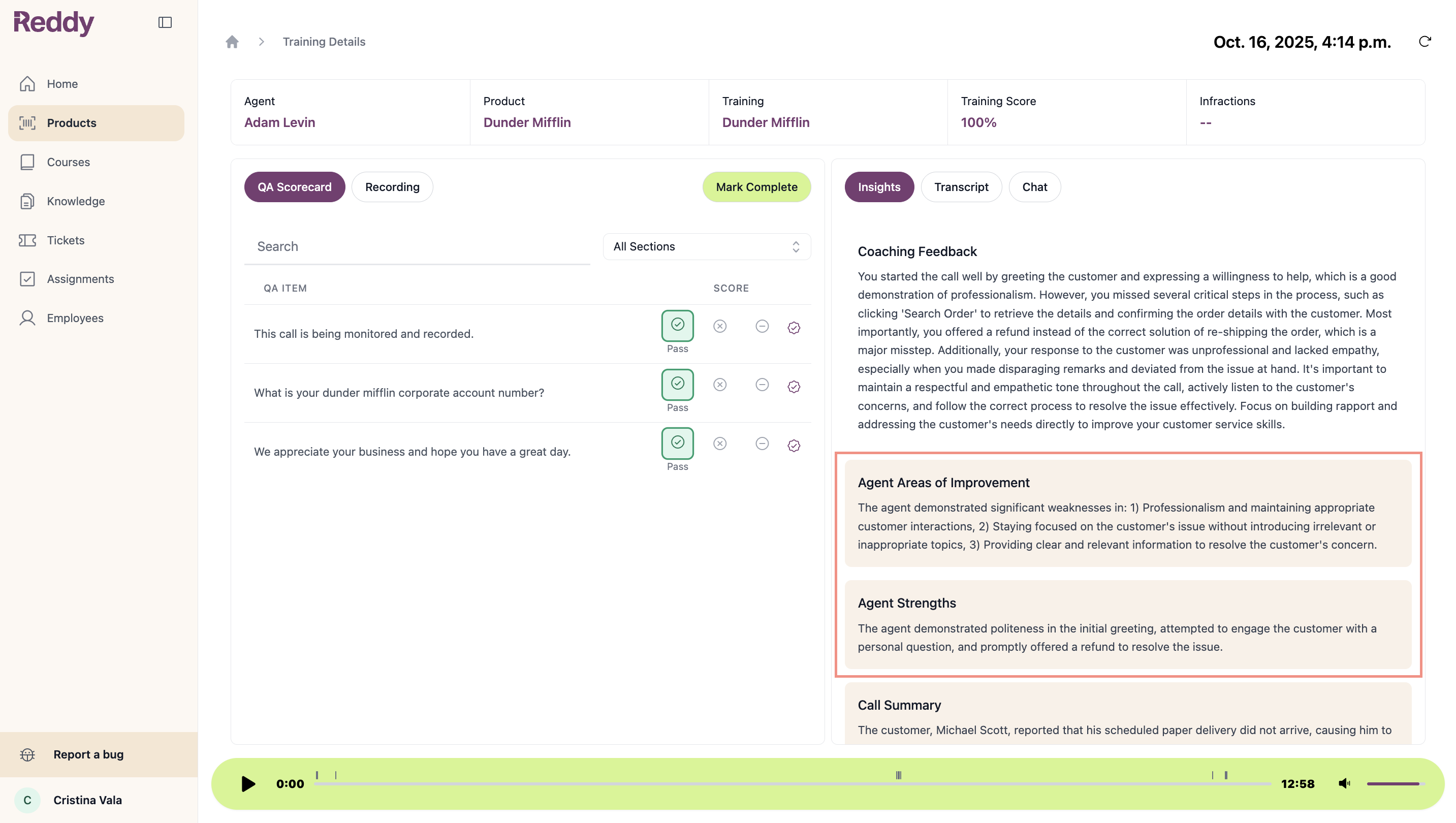
- Default Coaching Feedback: Standard coaching delivered to agents after every call
- Default Call Summary: 2-3 sentence call overview
- Custom Insights: Unlimited additional summaries for your business needs
- Top 3 areas of improvement and agent strengths
- Customer issues and resolution paths
- Policy adherence or compliance concerns
- Sales data or upsell opportunities
- Role-specific feedback (agent, manager, executive)
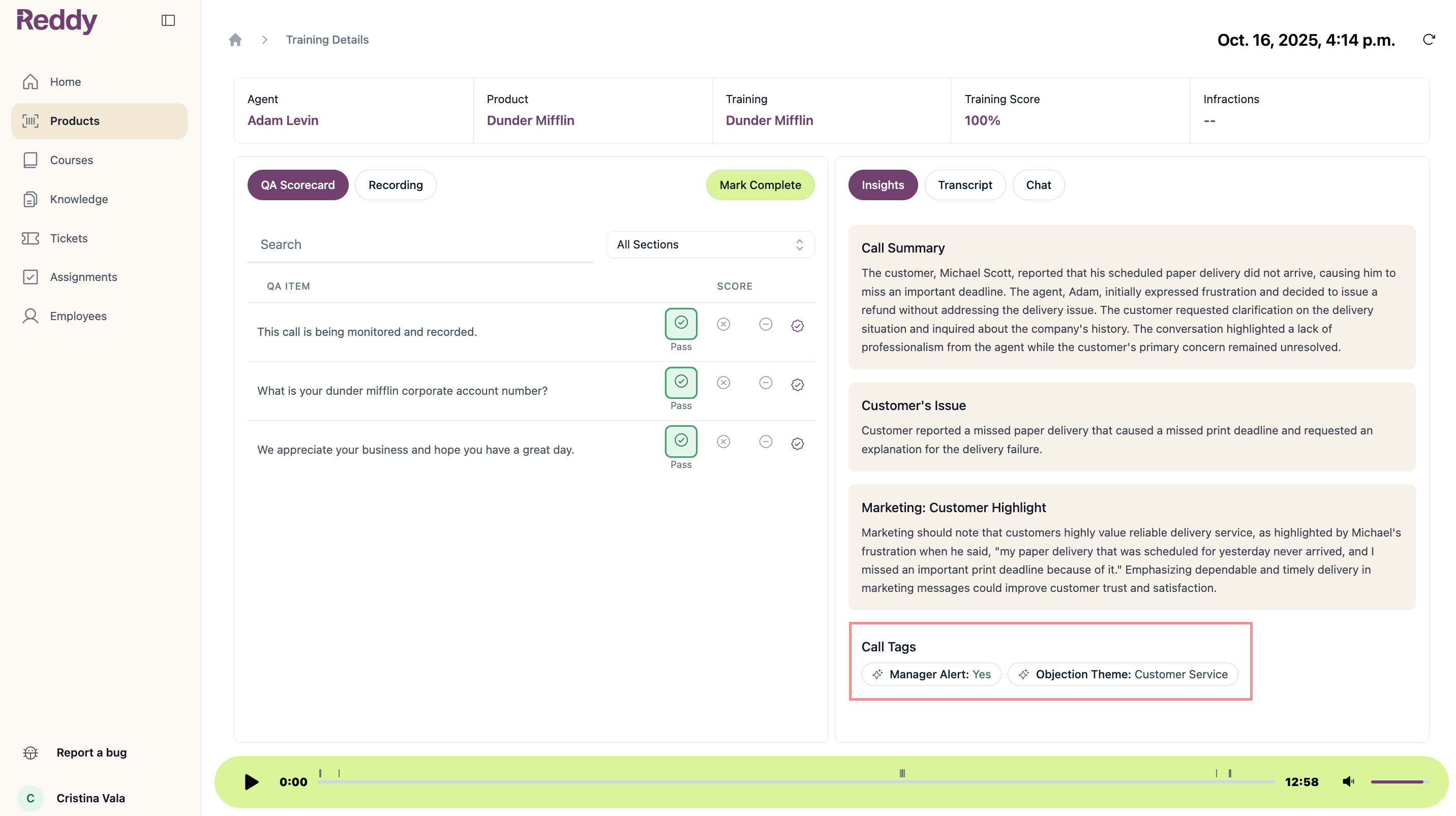
Custom insights (beige boxes) can be configured per product or company-wide. Generated fresh for every call.
How to Request
1
Fill Out Request Form
Open the Custom Configuration Request Form and add one row per configuration:
- Customization Type: Call Summaries, Call Tags, or Chat Prompts
- Name: What to call this insight or tag
- Product(s): Which products this applies to (or “All”)
- Permission: (Call Summaries only) Who can view:
- All Reddy Users (agent included): Everyone
- Manager + Admin: Hidden from agents
- Admin Only: Admins only
- Description: What you want extracted or tracked
Hide insights from agents when tracking sensitive metrics or internal performance indicators.
2
Submit to Project Manager
Send completed form to your Reddy Project Manager.
3
Reddy Configures
Reddy fine-tunes prompting and implements your configurations.
4
Review & Refine
Explore new insights and filters. Send feedback to adjust configurations.