

Course Types
- Company Courses: Organization-wide training. Assign the course directly to agents.
- Product Courses: Training scoped to a product. Assign the product first, then assign the course. Product access alone does not enroll agents.
Creating a Course
1
Navigate to Course Tab
Click the Course tab on the navigation panel.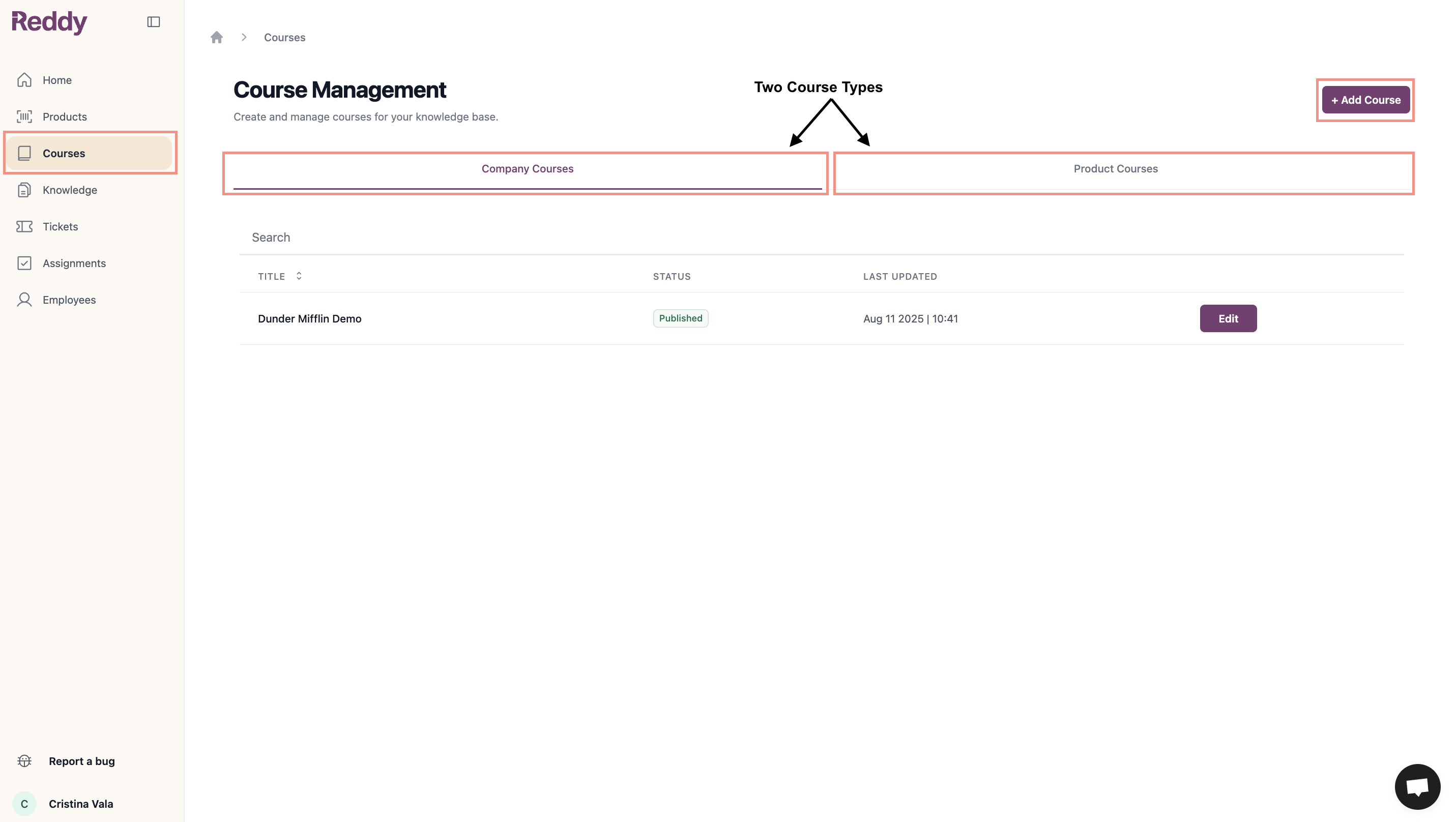
2
Select '+ Add Course'
Click ”+ Add Course” button.
3
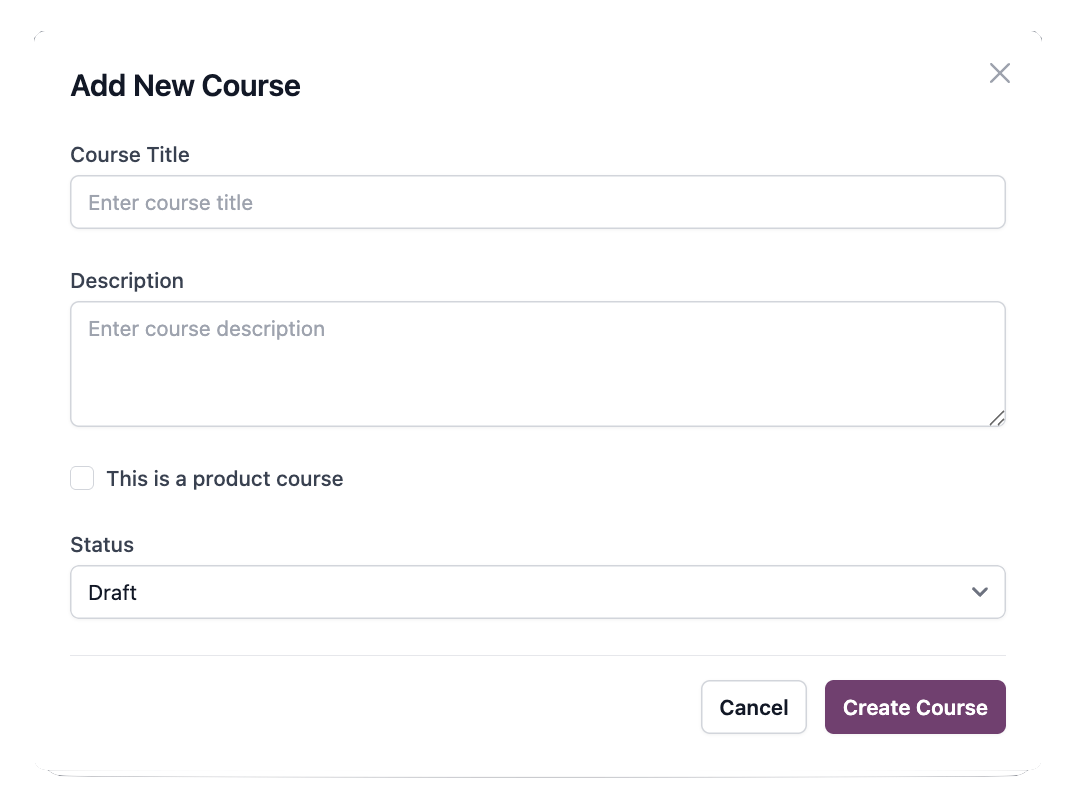
Configure Course
- Enter course title and description
- Check checkbox for product-specific, leave unchecked for company-wide
- Keep status as Draft
- Click Create Course
4
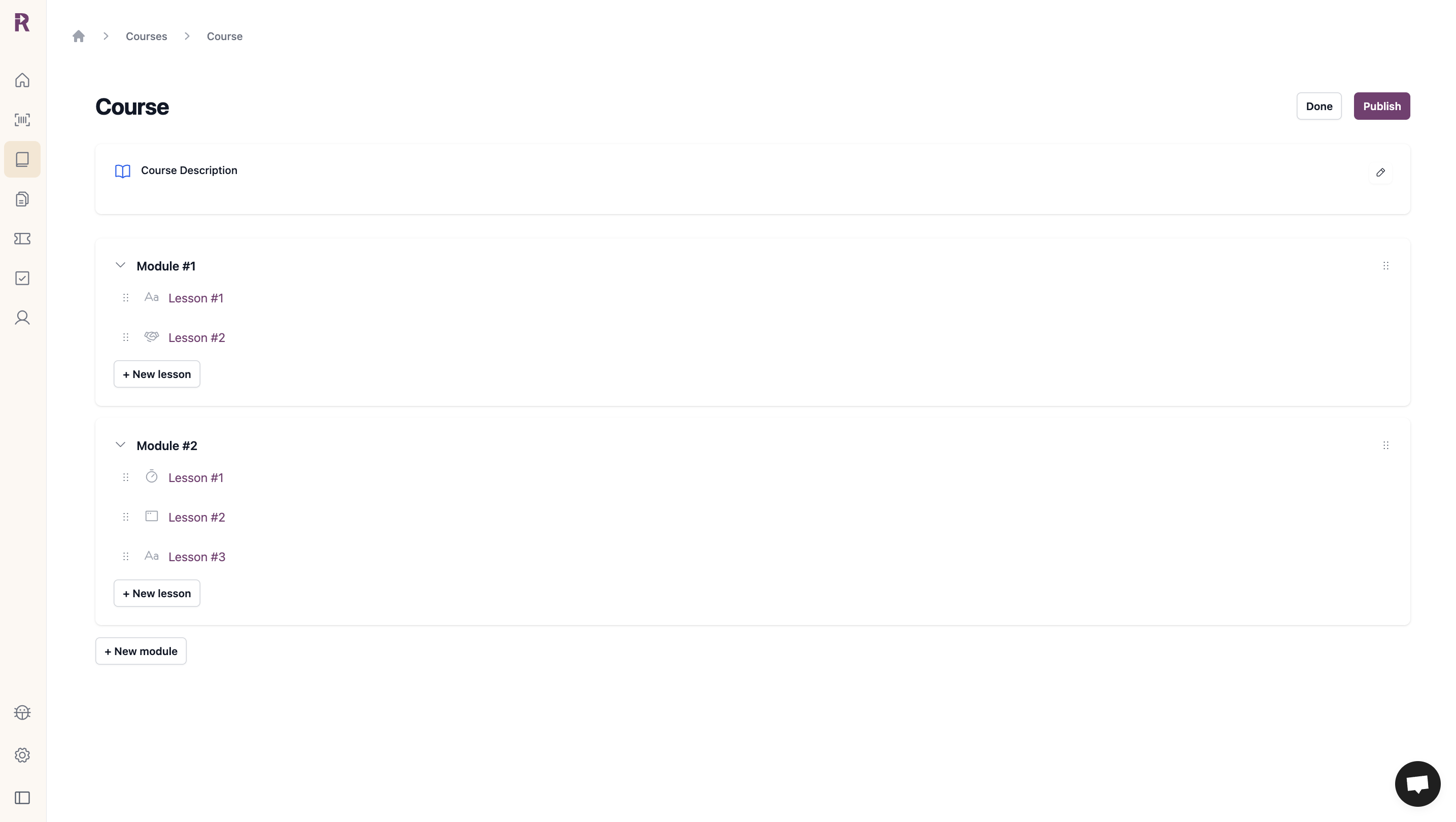
Build Structure
- Click ”+ New module” to add modules
- Within modules, click ”+ New lesson” to add lessons
- Drag to reorder
- Company Courses
- Product Courses
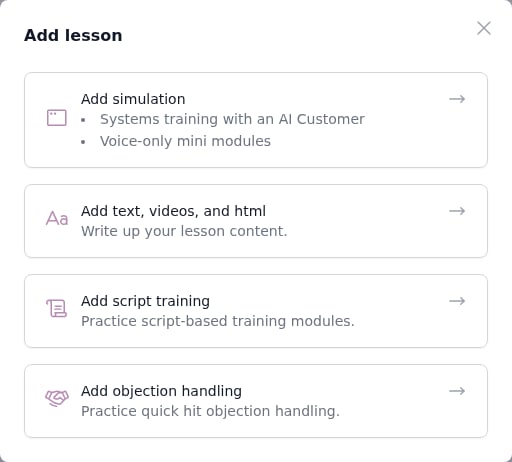
- Text, videos, and html
- Objection handling
5
Configure Lessons
Lesson Basics:
- Lesson title
- Introduction blurb (optional - preview on LMS)
Text, Videos, and HTML
Text, Videos, and HTML
Add Content:
- Text, embedded images/videos, hyperlinked websites
- Set up content (Reddy assists with HTML styling)
- Set completion duration (optional - prevents advancing until time passes)
Simulation and Script Training
Simulation and Script Training
Select a module:
Choose from the dropdown for simulation or script training lessons.Set Completion (Optional):
Only pre-created simulations for the product appear. Work with Reddy to create simulations first.
- Minimum score
- Number of runs
How It Works: Agents must complete all runs AND meet minimum score. If runs complete but score unmet, they continue practicing.Default: 5 runs, 50% minimum score.
Objection Handling
Objection Handling
Set Completion (Optional):
- Minimum score
Objections configured by Reddy as company-specific or product-specific.
6
Publish
Review settings and click Publish to make available to users.
Managing Courses
Draft vs. Published
- Draft: Not visible to users. Safe to build and edit.
- Published: Live and accessible. Changes apply immediately.
Assigning Courses
Courses and products are assigned separately: Company Courses: Assign the course directly to the agent. Product Courses: Assign the product first so the course appears as an option, then assign the course. Product access alone does not give agents the simulations inside the course.Products unlock a line of business. Courses enroll agents in specific trainings. Always assign both when onboarding someone to product-specific simulation training.
Lock Upcoming Lessons
Turn on Lock upcoming lessons to make agents finish lessons in order. Each lesson stays locked until the agent meets the completion criteria of the lesson before it. The setting is off by default.1
Open the course
From the Courses tab, click the course you want to update.
2
Turn on the switch
Click the Lock upcoming lessons switch in the course header, next to Publish / Unpublish. The change saves automatically.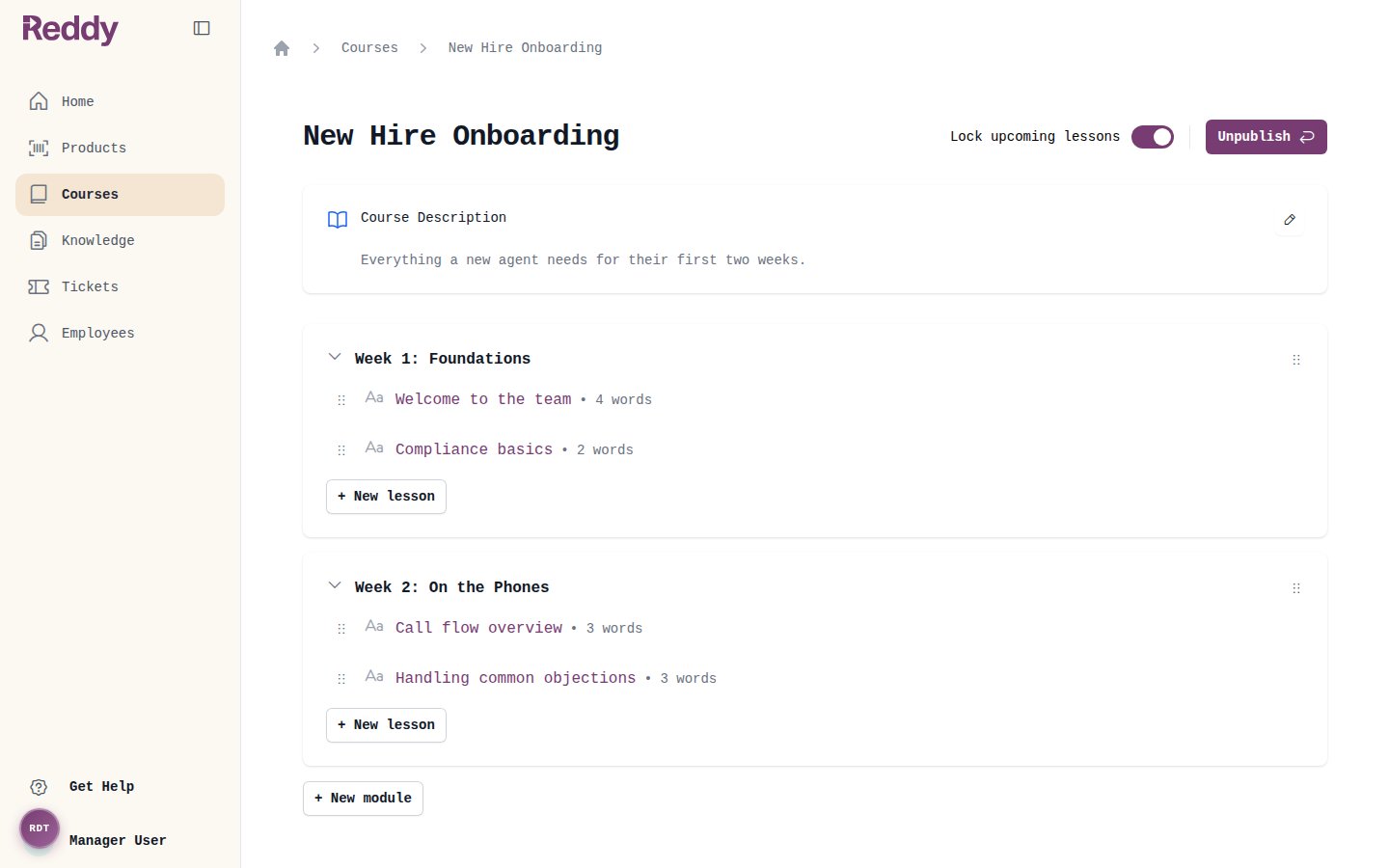
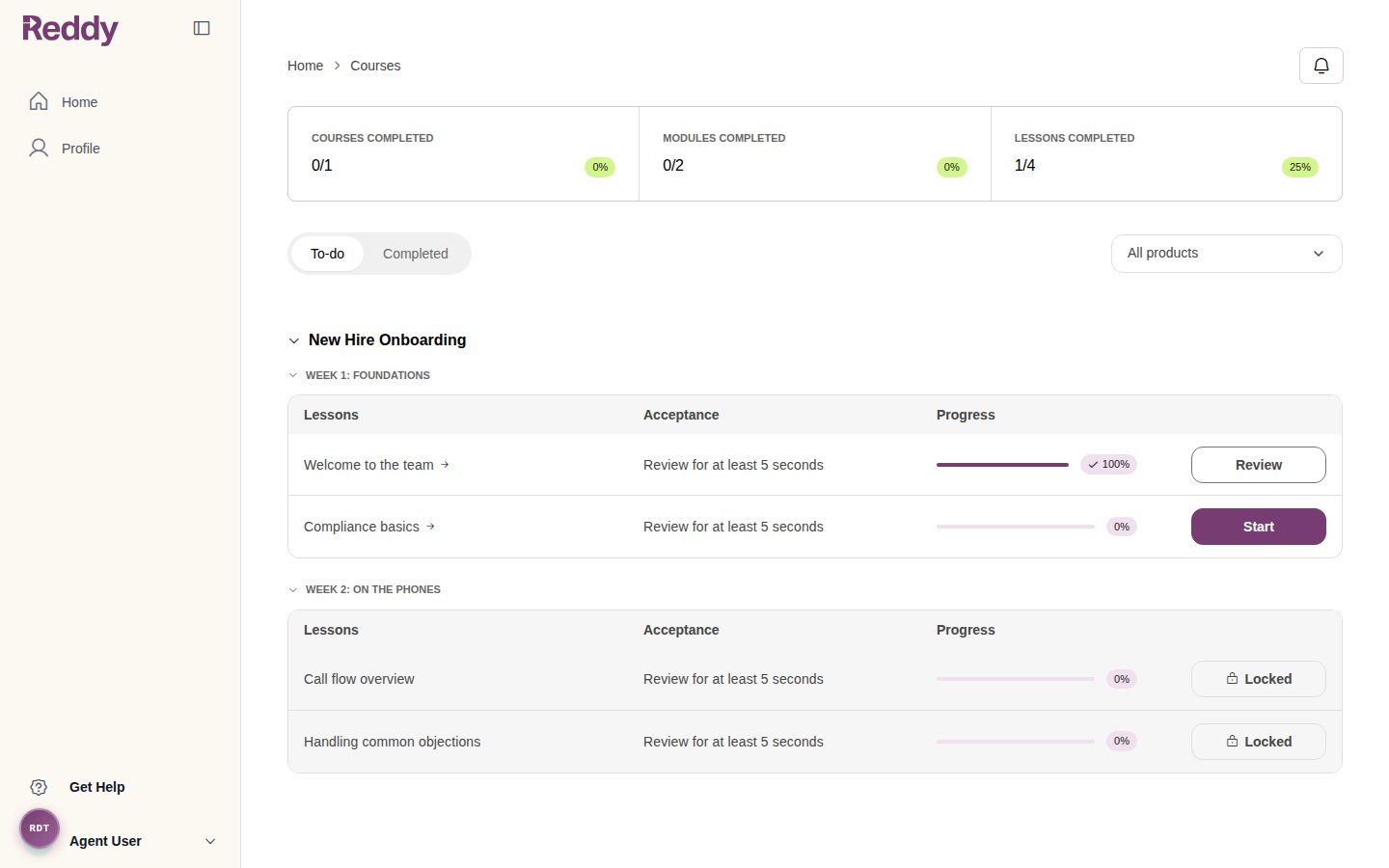
- Lessons unlock in the order shown on the course page: module by module, top to bottom. Drag to reorder if needed.
- Unpublished modules and lessons are skipped.
- A lesson with no completion criteria never locks the lessons after it. This covers text lessons without a completion duration, and simulation or script training lessons without both a number of runs and a minimum score.
- If an agent opens a direct link to a locked lesson, they are sent back to their dashboard.
FAQ
Why isn't my course showing up in the student dashboard?
Why isn't my course showing up in the student dashboard?
Publishing a course is not enough. The course structure must be complete:Required: Course → Module → LessonIncomplete structures won’t appear:
- Course with no Modules
- Course with Module but no Lessons
Can I edit a published course?
Can I edit a published course?
Yes. Changes to published courses apply immediately and are visible to all assigned agents. Test changes in a Draft course first if you need to review before making live.
How do I reorder modules or lessons?
How do I reorder modules or lessons?
Drag and drop modules and lessons in the course structure view to reorder them. Changes save automatically.
Why is a lesson locked for an agent?
Why is a lesson locked for an agent?
The course has Lock upcoming lessons turned on, and the agent has not yet completed an earlier lesson. Check the agent’s progress on the earlier lessons, or turn the setting off to unlock everything.