Reddy is rolling out a new roster-based Employees experience. If your Employees page shows an Actions menu in the top right, use the Roster tab below. Otherwise, use the Legacy tab.
Only admins can edit employees, use bulk updates, or change roles. Managers can still view the employees assigned to them.
Edit an Individual Employee
Find the employee
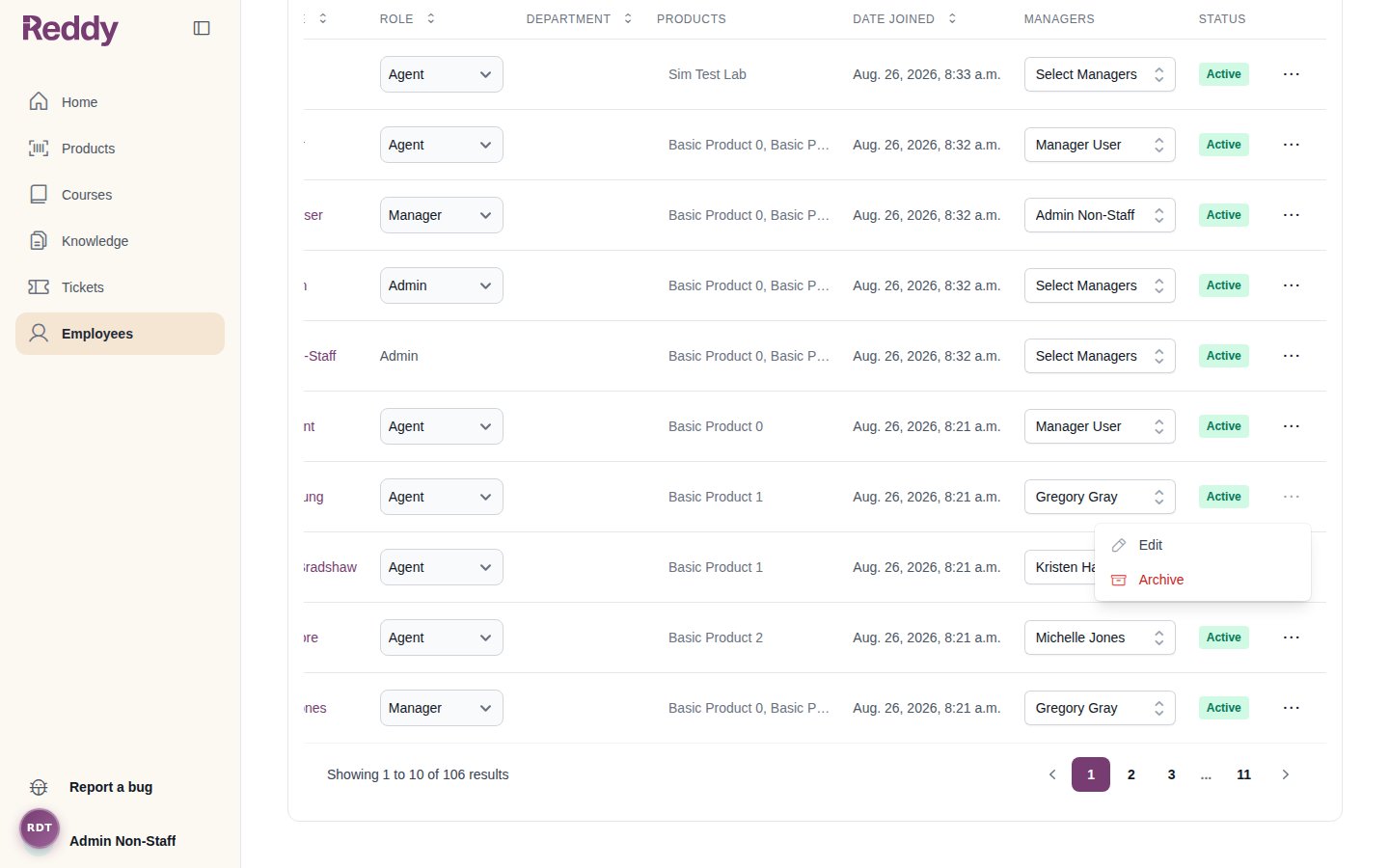
Go to the Employees tab on the left menu bar and search for the person you want to update.
Open the edit form
Click the … menu at the right end of their row and choose Edit. Update their details
Change their name, departments, role, products, or managers, then click Save. All changes save together.Email cannot be edited — it is the employee’s unique identifier. Agents must keep at least one product, and you cannot remove your own admin role.
For quick one-off changes you can still use the inline controls in the table: the Role dropdown saves automatically, and the Managers dropdown lets you search and assign multiple managers.
Bulk Updates
Open Actions in the top right of the Employees page:
- Update managers: assign multiple agents to managers at once.
- Update products & courses: update products and courses for multiple agents in one flow. Products and courses are selected from separate lists in the same modal; assign both as needed.
For company-wide changes — reorganizations, department renames, manager reshuffles — edit your roster spreadsheet and use Replace roster instead. You get a full preview of every change before anything is applied. See Roster Uploads.Export the Roster
Click Actions -> Download roster to export the current roster as a spreadsheet: every active employee with their departments, role, managers, products, and courses. Review it to spot who needs updates, or edit it and re-upload it via Replace roster.Managers can only update agents assigned to them. They can adjust products and courses only for lines of business and trainings they themselves are assigned to.
Individual Updates
Products and Courses
Managers
Role
Navigate to Employees tab
Go to the Employees tab on the left menu bar. Search for the agent you want to update.
Open agent profile
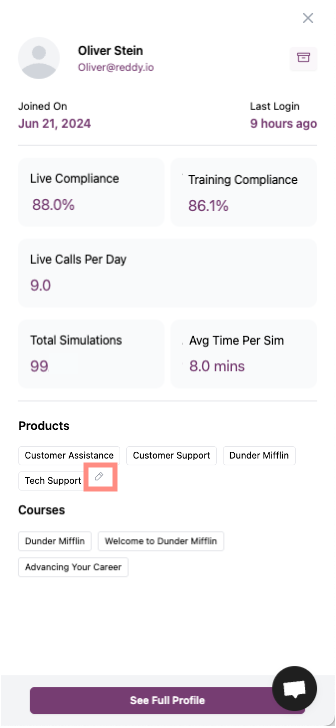
Click the agent’s name to open the agent profile panel.
Edit products
Products are separate from courses. They give an agent access to a line of business (live calls, QA, and reporting) and determine which product-specific courses you can assign.In the Products section, hover over the product list and click the pencil icon to open the product assignment dropdown.Select or deselect products, then click “Apply Changes”.Scroll down if needed to see the “Apply Changes” button. It is required for updates to save.
Edit courses
Courses assign the training paths an agent takes. They contain modules and lessons, including simulations. Product access alone does not enroll an agent in training; you assign courses separately.In the Courses section below Products, hover over the course list and click the pencil icon to open the course assignment dropdown.Select or deselect courses, then click “Apply Changes”.For product-specific courses, assign the product first. Only then will those courses appear as options.
Navigate to Employees tab
Go to the Employees tab on the left menu bar. Search for the agent you want to update.
Open manager dropdown
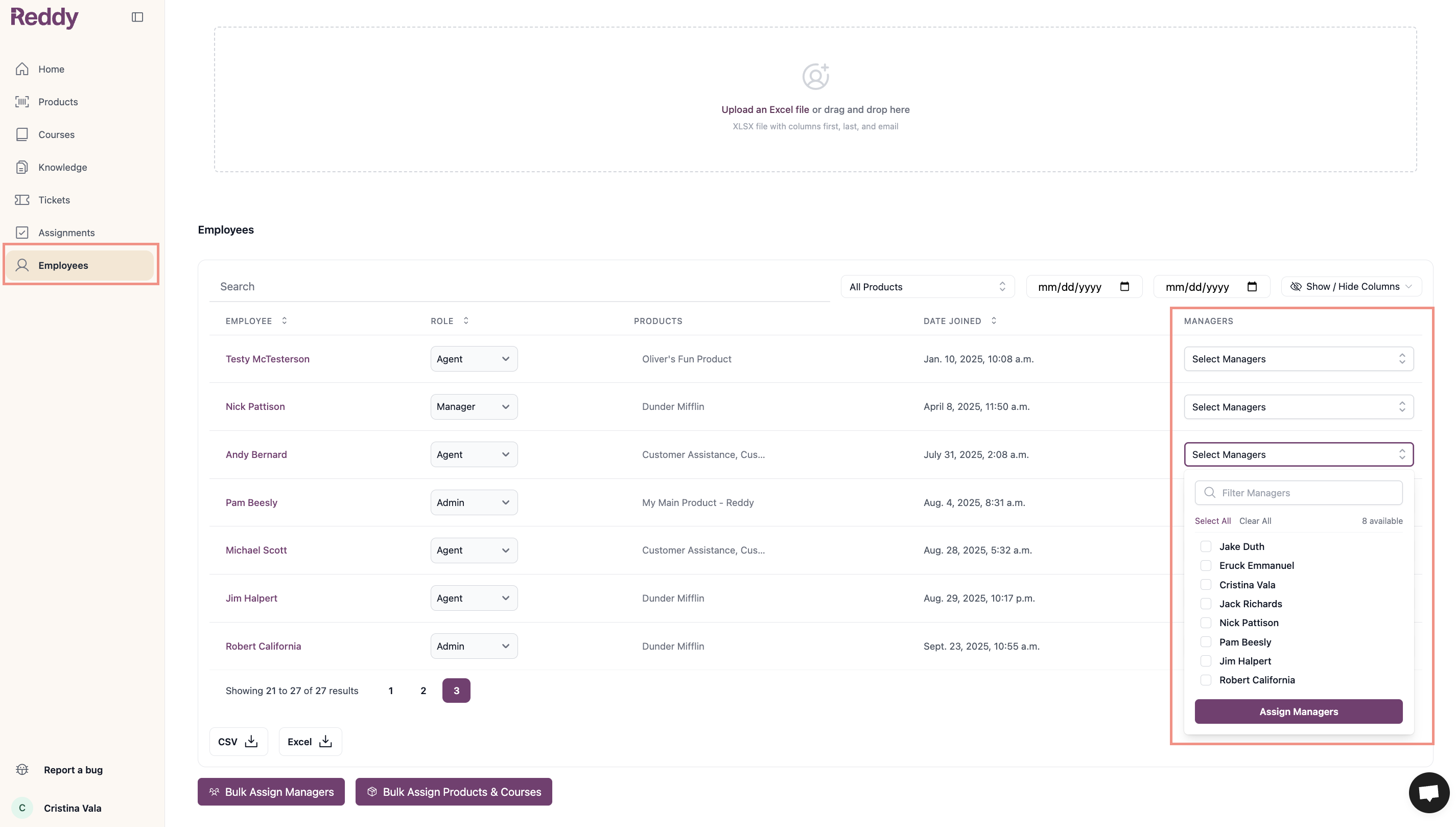
Click the “Select Managers” dropdown in the Managers column to the right of the agent’s name.
Select managers
Use the search box to filter managers or select from the list. You can assign multiple managers to one agent. Save changes
Click “Assign Managers” to save your selections.Use “Select All” or “Clear All” to quickly manage multiple manager assignments.
Navigate to Employees tab
Go to the Employees tab on the left menu bar. Search for the user you want to update.
Select role
Click the Role dropdown in the Role column to the right of the user’s name and select Agent, Manager, or Admin.
Save changes
The role change saves automatically.Only admins can change user roles.
Bulk Updates
Use the buttons below the employees table for bulk changes:
- Bulk Assign Managers: Assign multiple agents to managers at once
- Bulk Assign Products & Courses: Update products and courses for multiple agents in one flow. Products and courses are selected from separate lists in the same modal; assign both as needed.
Only admins can use bulk assignment features.
Export Employees Table
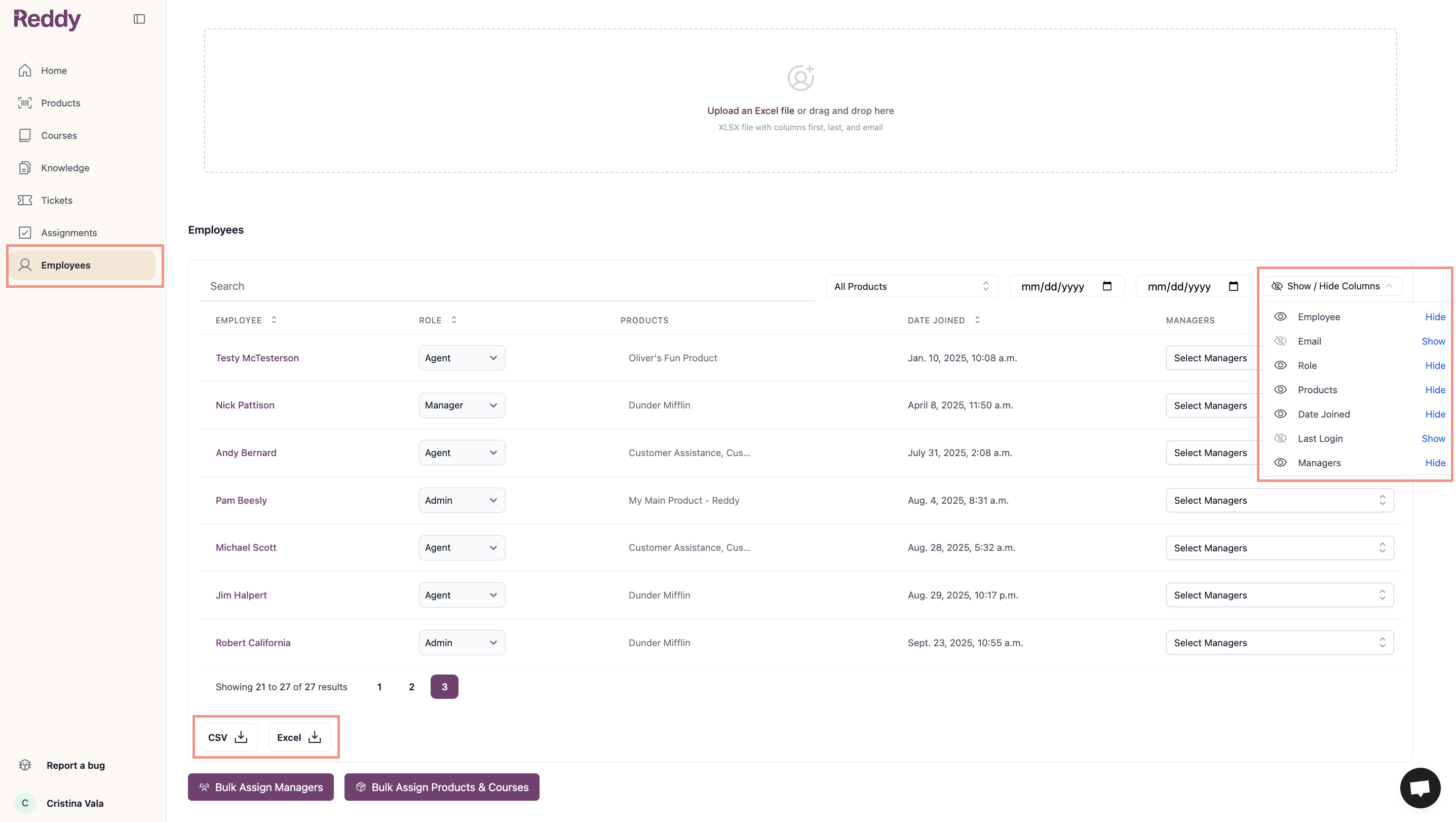
Export current assignments to review who needs updates before making bulk changes. The export includes all currently visible columns (Employee, Email, Role, Products, Date Joined, Last Login, Managers).Adjust column visibility using the “Show / Hide Columns” button in the top right before exporting.