

How It Works
Use the ticketing system to submit and track various types of requests:Custom Configuration Requests
Custom Configuration Requests
Submit requests for organization-specific configurations, workflows, or platform customizations tailored to your business needs.
Product Enhancement or New Feature Requests
Product Enhancement or New Feature Requests
Request new capabilities, improvements to existing features, or enhancements that would benefit your team’s workflow.
Training Simulation Requests
Training Simulation Requests
Request creation of new training simulations or modifications to existing simulations to better reflect your processes and scenarios.
Report or Data Requests
Report or Data Requests
Request custom reports, data exports, historical data, or specific analytics not available in standard dashboards.
Accessing Tickets
Navigate to the Tickets tab to view and manage requests.- Creating a Ticket
- Managing Tickets
1
Click Create Ticket
Click “Create Ticket” in the top right corner.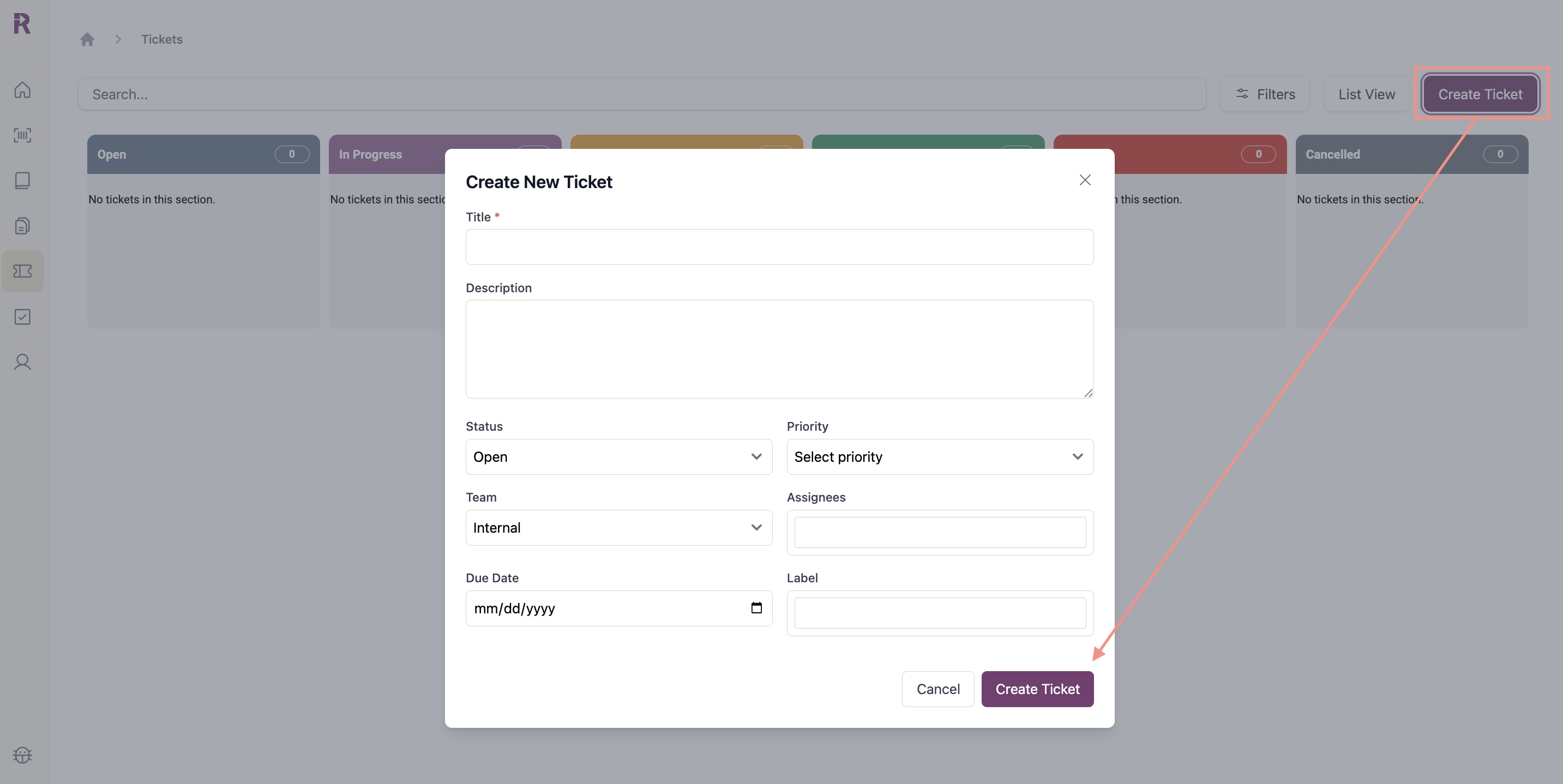
2
Add Details
- Title: Brief, descriptive summary (required)
- Description: Detailed explanation of request or issue
- Labels: Categorize using recommended labels
Recommended Labels
Recommended Labels
- Feature Request - New capabilities or improvements
- Data Request - Exports, historical data, or custom reports
- QA - QA setup, scoring, or feedback
- Training Sim Update - Updates to existing simulations
- Training New Sim Request - New simulation creation
- User Management - Role changes, permissions, or new user setup
- Custom Config Request - Client-specific configurations or workflows
- Status: Open, In Progress, In Review, Blocked, Done
- Priority: Low, Medium, High, Critical
- Due Date: Target completion date
- Team: Internal or Reddy
Team Details
Team Details
- If the task requires action from your organization, select Internal and assign the ticket to a team member
- If the task requires Reddy support, select Reddy
- Assignees: Team members assigned to the ticket
Assignee Details
Assignee Details
Internal Team: Assign the ticket to one or more people within your organization. They will receive a notification in Reddy’s notification panel. Only individuals with active Reddy accounts will appear in the assignee dropdown.Reddy Team: The assignee field is disabled. Your Reddy Project Manager will review and assign the ticket to the appropriate Reddy team member.
3
Submit
Click Submit to create the ticket. You’ll receive notifications when status changes or teammates are assigned.
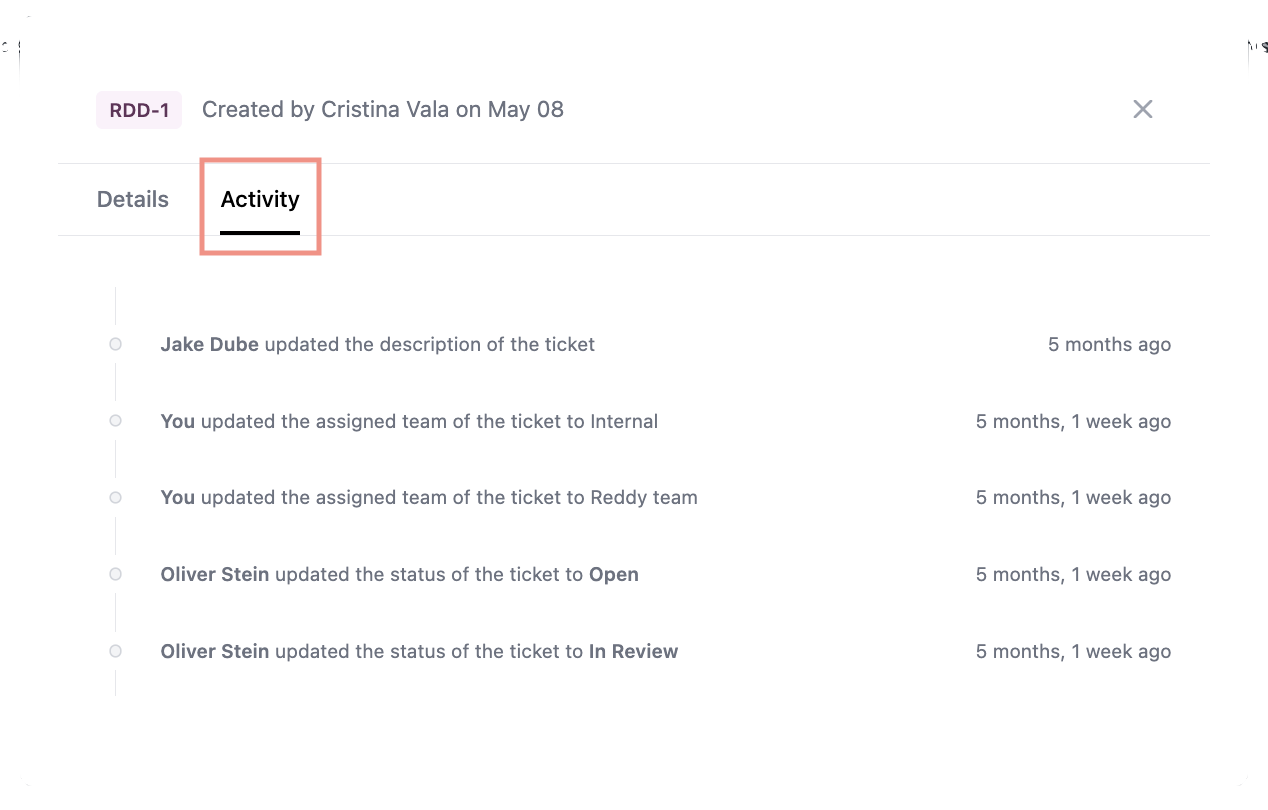
Notifications
You’ll receive notifications when:- A ticket is assigned to you
- Status changes on your tickets
- Team members are assigned