

Review and mark complete 20 calls to establish a solid benchmark dataset. Focus on calls representing typical scenarios across different agents and call types.
Understanding QA Score Icons
Before evaluating calls, understand the scoring status indicators:- R icon: Automatically scored by Reddy AI
- No icon: Not yet scored, configured for manual scoring
- Verification icon (checkmark): Score verified by someone at your organization
Review Process
1
Find the call
From the Dashboard, find the Training Session or Live Call you want to review and click the timestamp.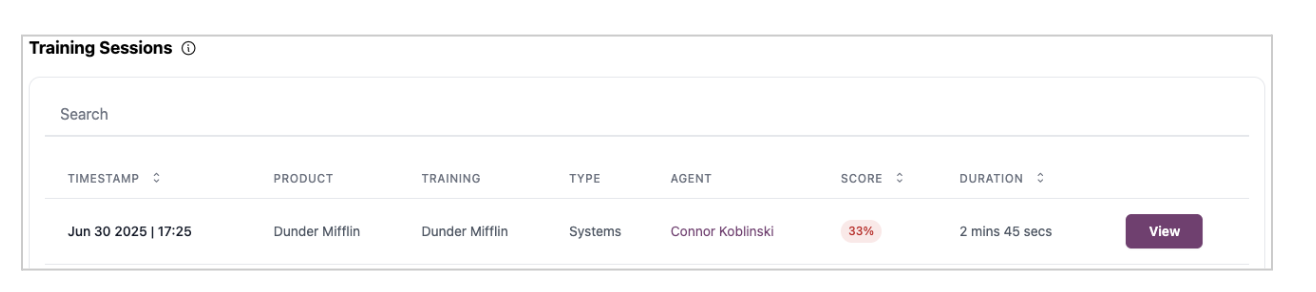
2
Review QA items
On the QA Scorecard tab, review each QA item. When you find a score that should be different, click it.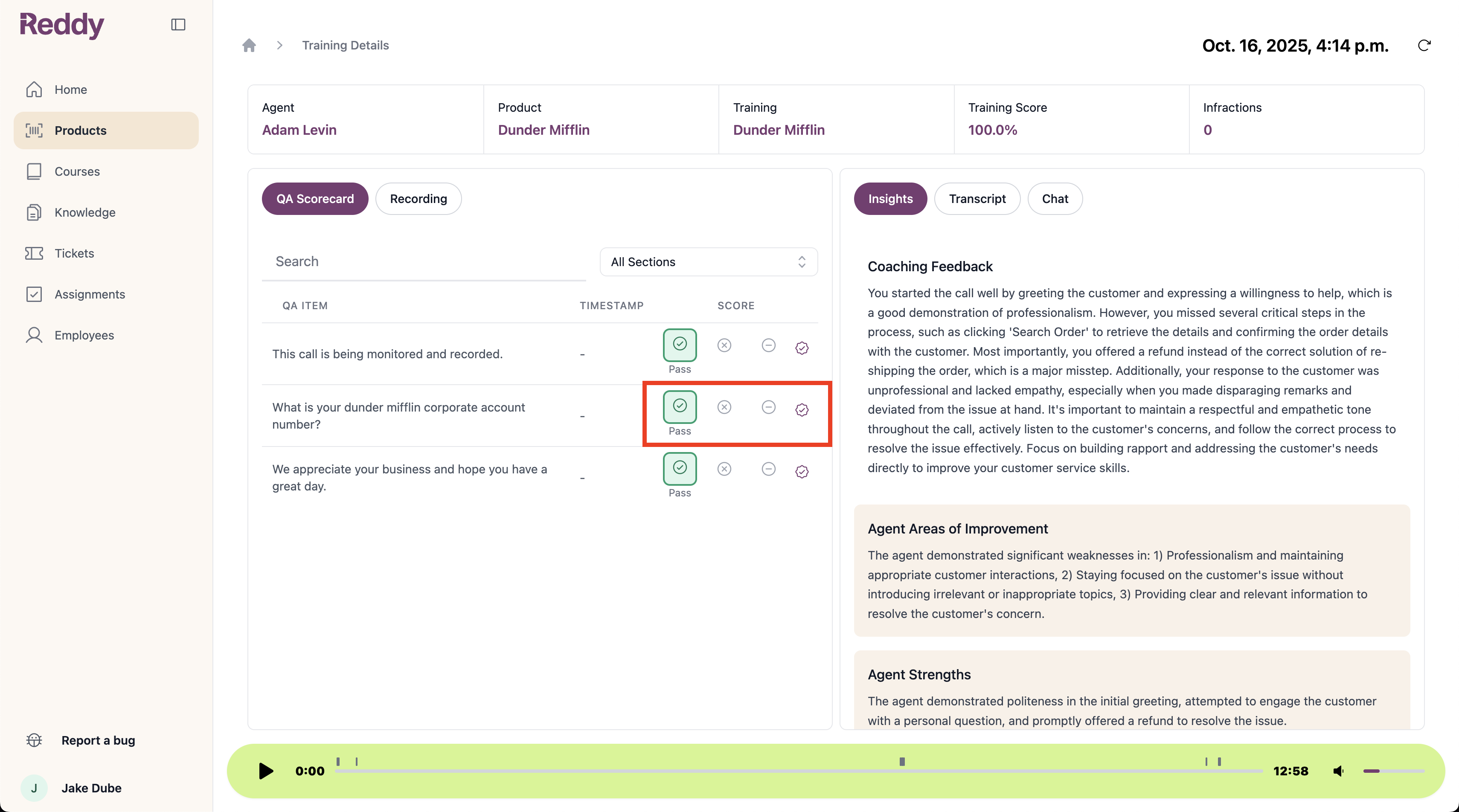
Only QA items with the R icon (AI-scored) can be corrected. Items with no icon require manual scoring.
3
Provide feedback
Select the correct score and explain why this grade is more accurate.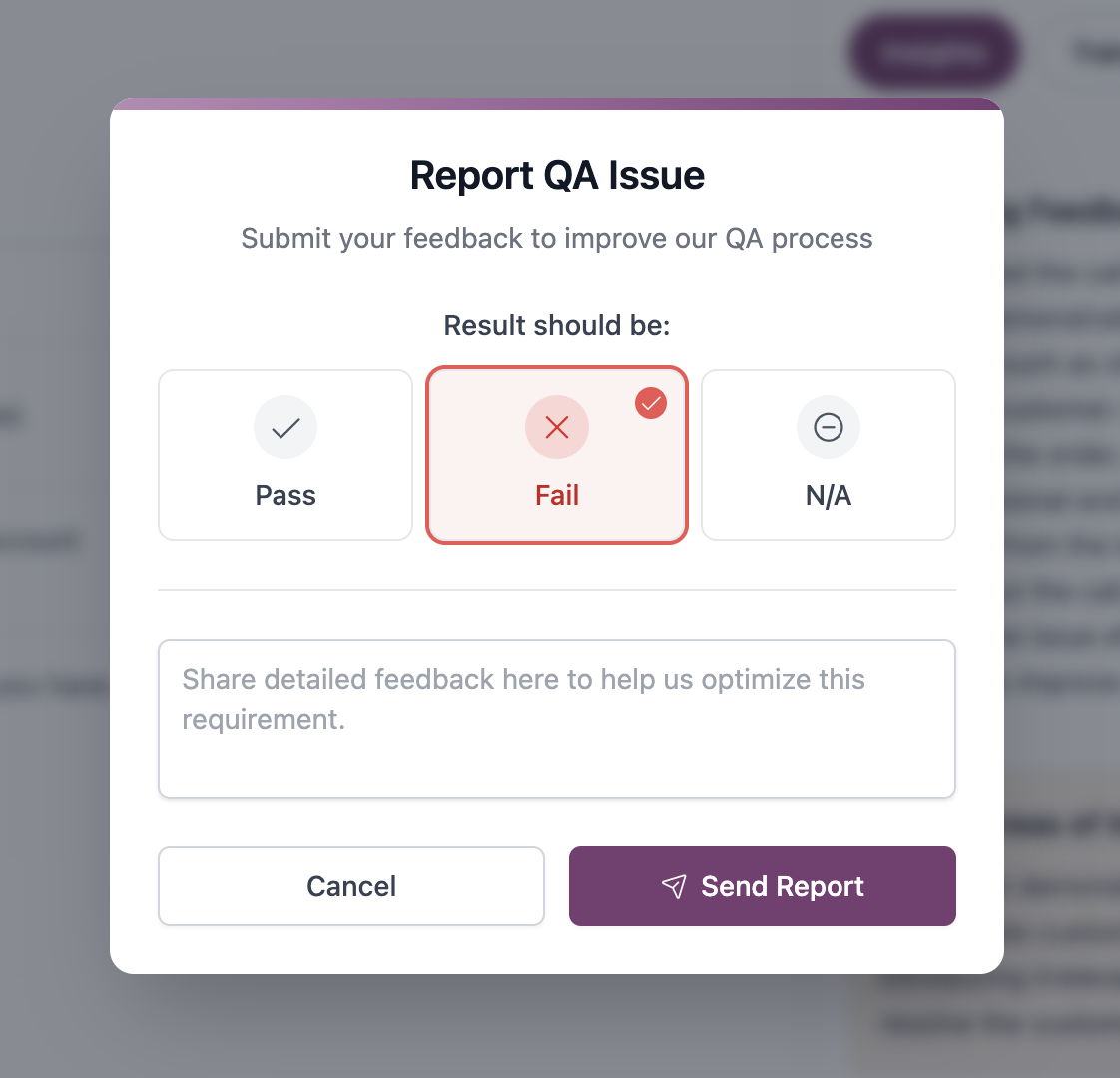
4
Mark Complete (Optional)
After reviewing all QA items, click Mark Complete to confirm the scorecard review.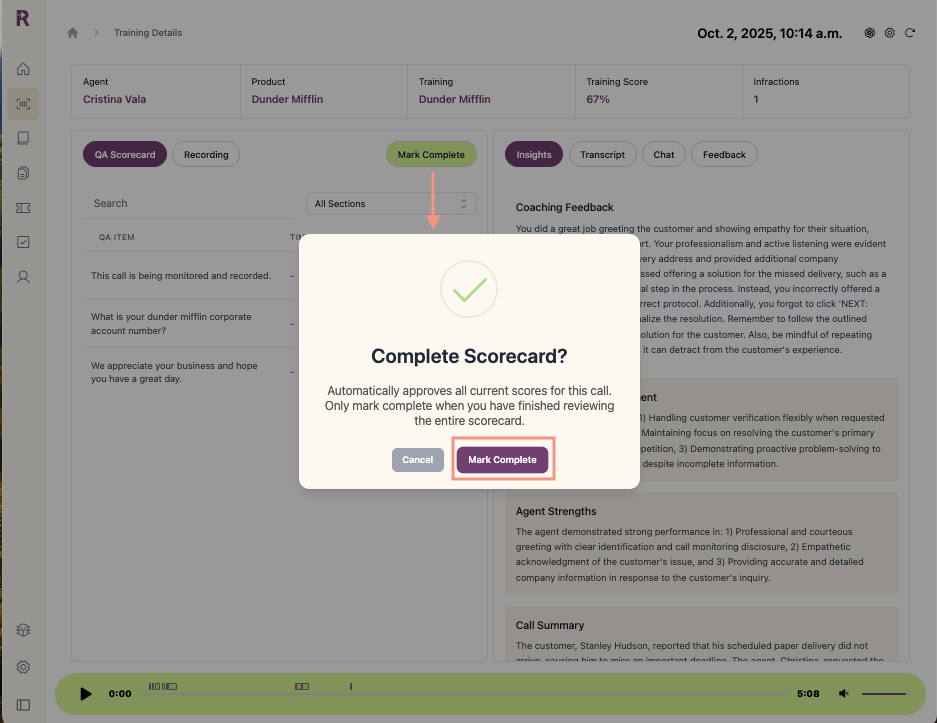
Marking complete tells Reddy that unchanged scores were accurate, which trains the AI to improve scoring precision for your organization over time.
Correcting individual QA items (Steps 2-3) is valuable feedback even if you can’t review the entire scorecard. Marking complete is a bonus step that provides the strongest training data when you have time to verify all items.
Tips for Effective QA Reviews
Prioritize Full Reviews
Prioritize Full Reviews
Mark complete full scorecards when possible for the strongest training data. The combination of corrected items plus confirmation that other items were accurate provides the most valuable feedback for AI improvement.
Don't Skip Partial Reviews
Don't Skip Partial Reviews
Don’t hesitate to correct individual items even if you can’t review the entire scorecard. Every correction helps improve scoring accuracy.
Be Specific with Feedback
Be Specific with Feedback
Provide clear reasons for corrections. Include transcript excerpts, timestamps, or note edge cases to help Reddy understand your organization’s specific quality standards.
Score Manual Items
Score Manual Items
QA items configured for manual scoring (no icon) won’t have AI grades. Score these as you review to complete the full scorecard picture.
Maintain Consistent Standards
Maintain Consistent Standards
Apply the same scoring criteria across all reviews to ensure Reddy learns a consistent quality benchmark.