

How It Works
1
Manager leaves feedback
Navigate to any call record and open the Feedback tab. Type your feedback and click Send to submit.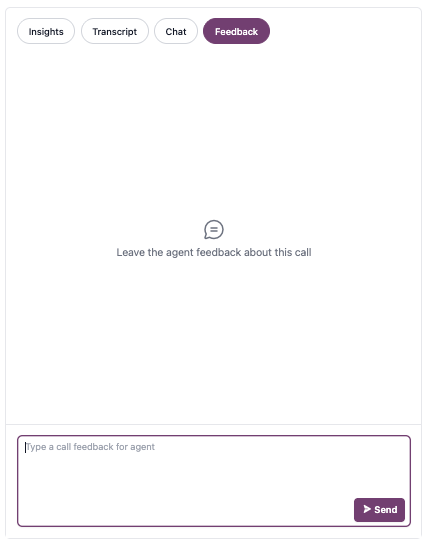
Each call record supports one feedback message.
2
Agent receives notification
The agent receives an in-app notification linking directly to the call record’s Feedback tab for review.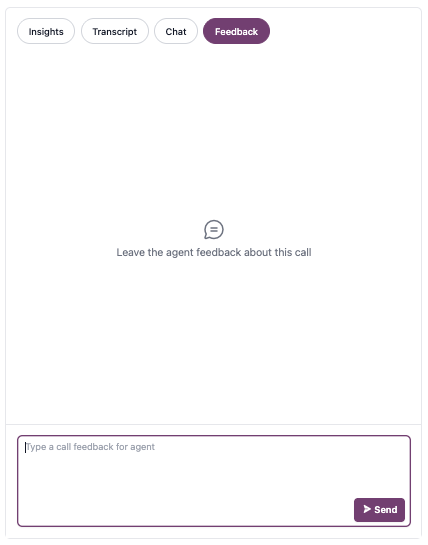
3
Agent responds
The agent can Acknowledge or Dispute the feedback, then optionally add a comment explaining their perspective.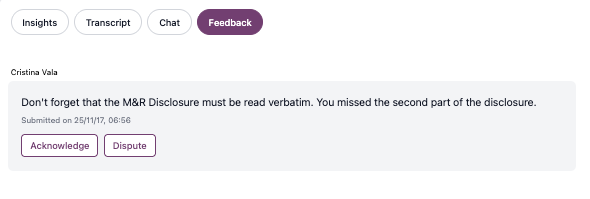
4
Manager closes the loop
When the agent responds, the manager receives an in-app notification linking back to the Feedback tab.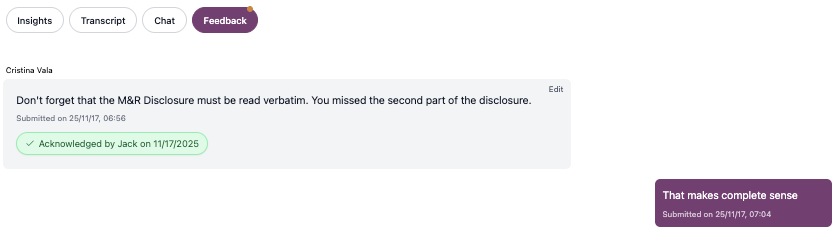
- Review the agent’s response (Acknowledged or Disputed)
- Read any additional comments the agent provided
Filtering by Feedback Status
Use dashboard filters to analyze feedback trends and follow up on unresolved items. Available feedback filters:- Submitted Feedback: All calls where you’ve left feedback
- Acknowledged Feedback: Calls where agents acknowledged your feedback
- Disputed Feedback: Calls where agents disputed your feedback
FAQ
Can I edit or delete feedback after sending it?
Can I edit or delete feedback after sending it?
You can edit feedback after sending, but you cannot delete it. To edit, click the Edit button on your feedback message, make your changes, and save. Edited messages display a timestamp showing when the last edit was made (e.g., “Last edited on 25/11/17, 07:15”).
Can I leave multiple feedback messages on one call?
Can I leave multiple feedback messages on one call?
No, each call record supports one feedback message. Ensure you have captured all critical feedback on the most important coaching points before sending your message.
Do agents see who left the feedback?
Do agents see who left the feedback?
Yes, agents can see which manager left feedback on their call records.
What happens if an agent doesn't respond to feedback?
What happens if an agent doesn't respond to feedback?
Agents are not required to respond to feedback. Use the “Submitted Feedback” filter to identify calls where you’ve provided coaching, regardless of agent response status.