You can attach custom metadata to any call to track business-specific information. This metadata shows up immediately in the Reddy dashboard and can be used as filters once your Reddy admin configures them.

Example

Let’s say you’re tracking sales calls and want to monitor:
  • Which lead sources convert best
  • Deal values by agent
  • Demo conversion rates
You can push this data to Reddy and then filter your dashboard to see only high-value deals, track conversion patterns, or identify your top performers.

Get a conversation ID

Start by searching for a recent call in your dashboard and grab the ID from the conversation ID column or call details. You can use the conversation ID filter to quickly find a specific one.
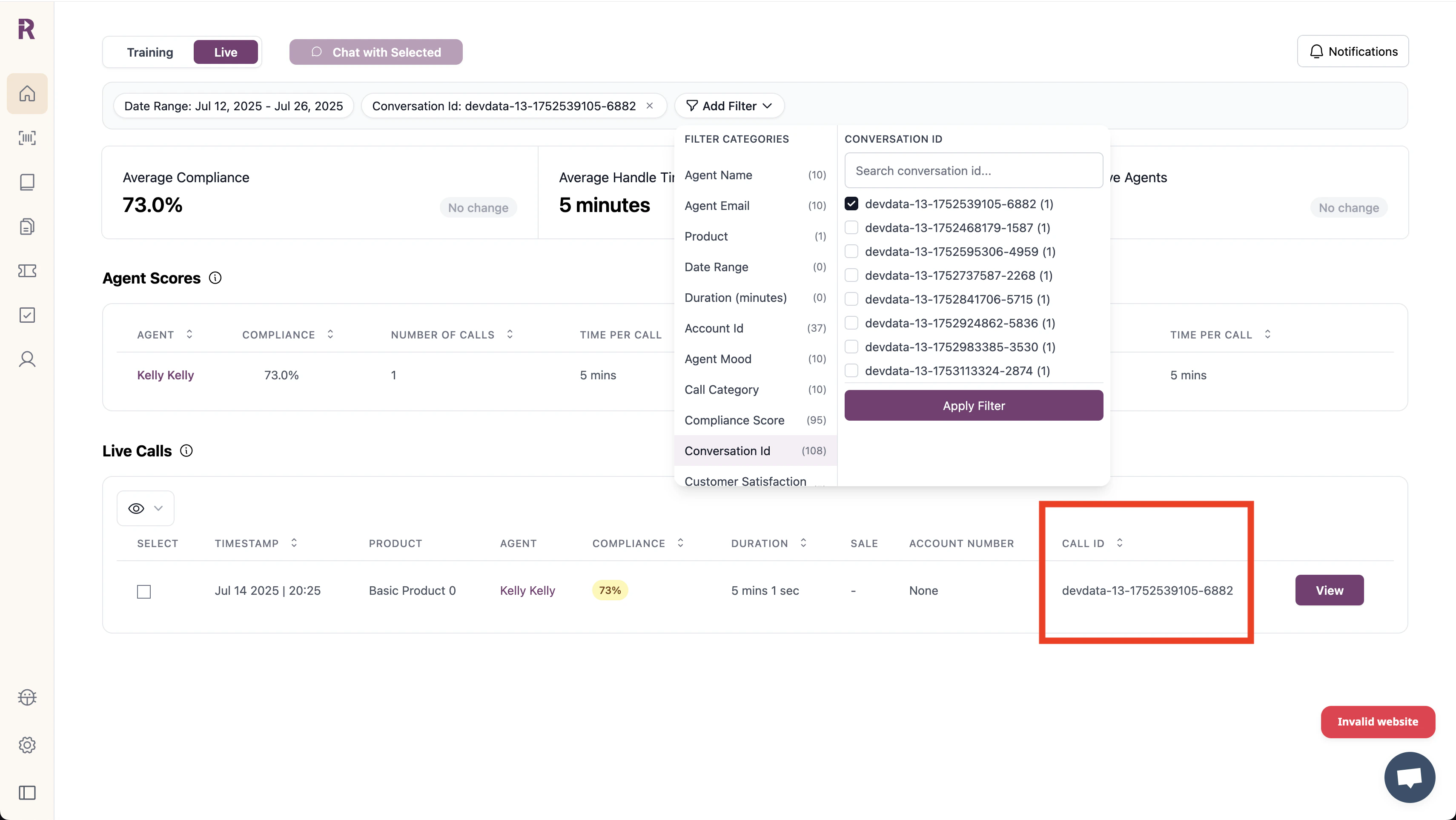
Conversation ID search

Make an API call

Now let’s add some sales metadata to the call:
curl -X POST 'https://app.reddy.io/api/v1/call/add_tags' \
  -H 'Authorization: Bearer your_api_key' \
  -H 'Content-Type: application/json' \
  -d '{
    "conversation_id": "conv_abc123",
    "agent_email": "[email protected]",
    "tags": [
      {"key": "lead_source", "value": "webinar", "type": "string"},
      {"key": "deal_value", "value": 25000, "type": "integer"},
      {"key": "demo_scheduled", "value": true, "type": "boolean"}
    ]
  }'

Viewing the metadata in the dashboard

Once you’ve sent metadata, it should appear immediately in that call’s Insights panel:
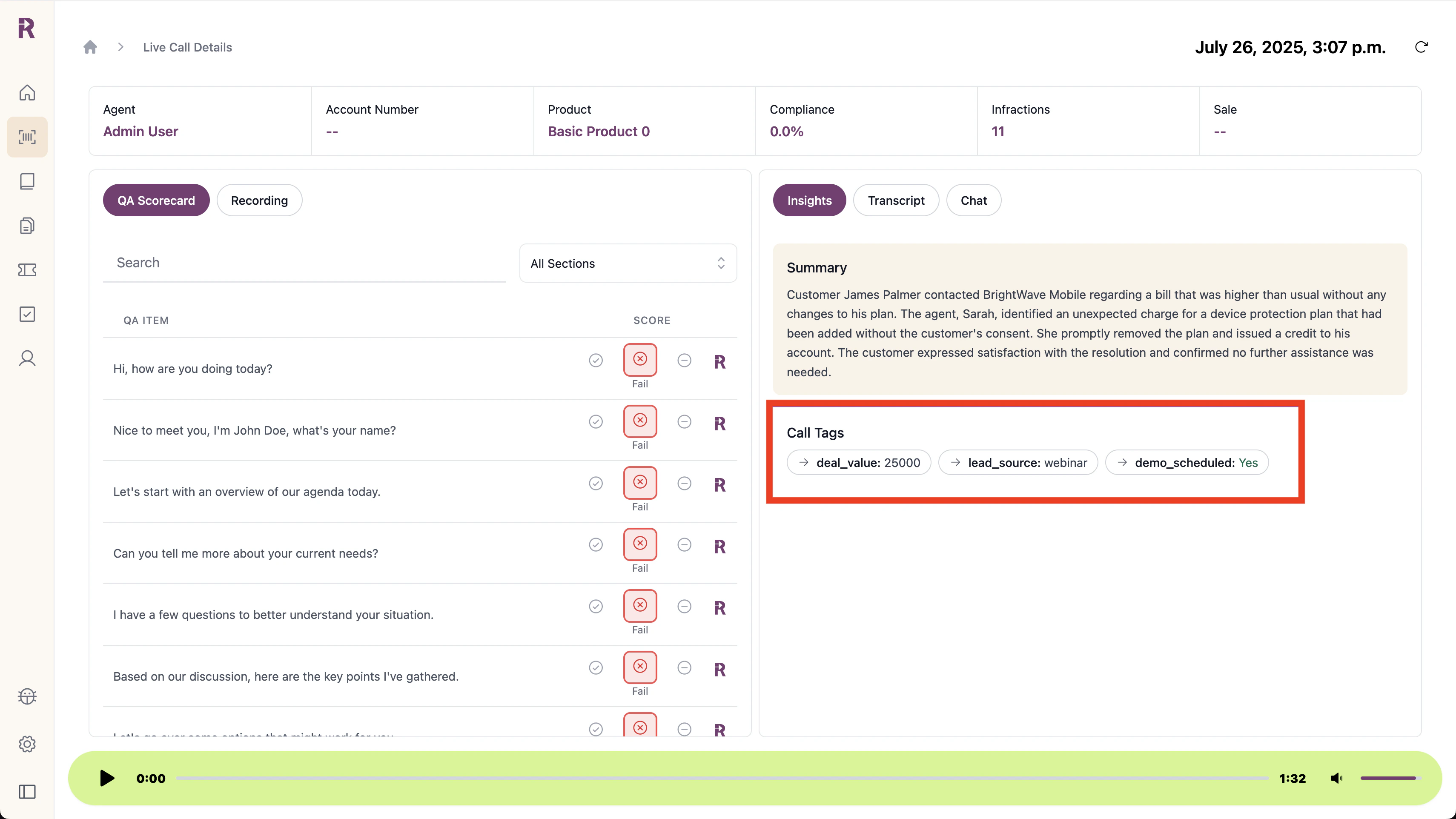
title
To use this metadata for filtering:
  1. Contact your Reddy admin to add your metadata fields to the dashboard
  2. Once configured, you’ll see your custom fields in the filter dropdown:
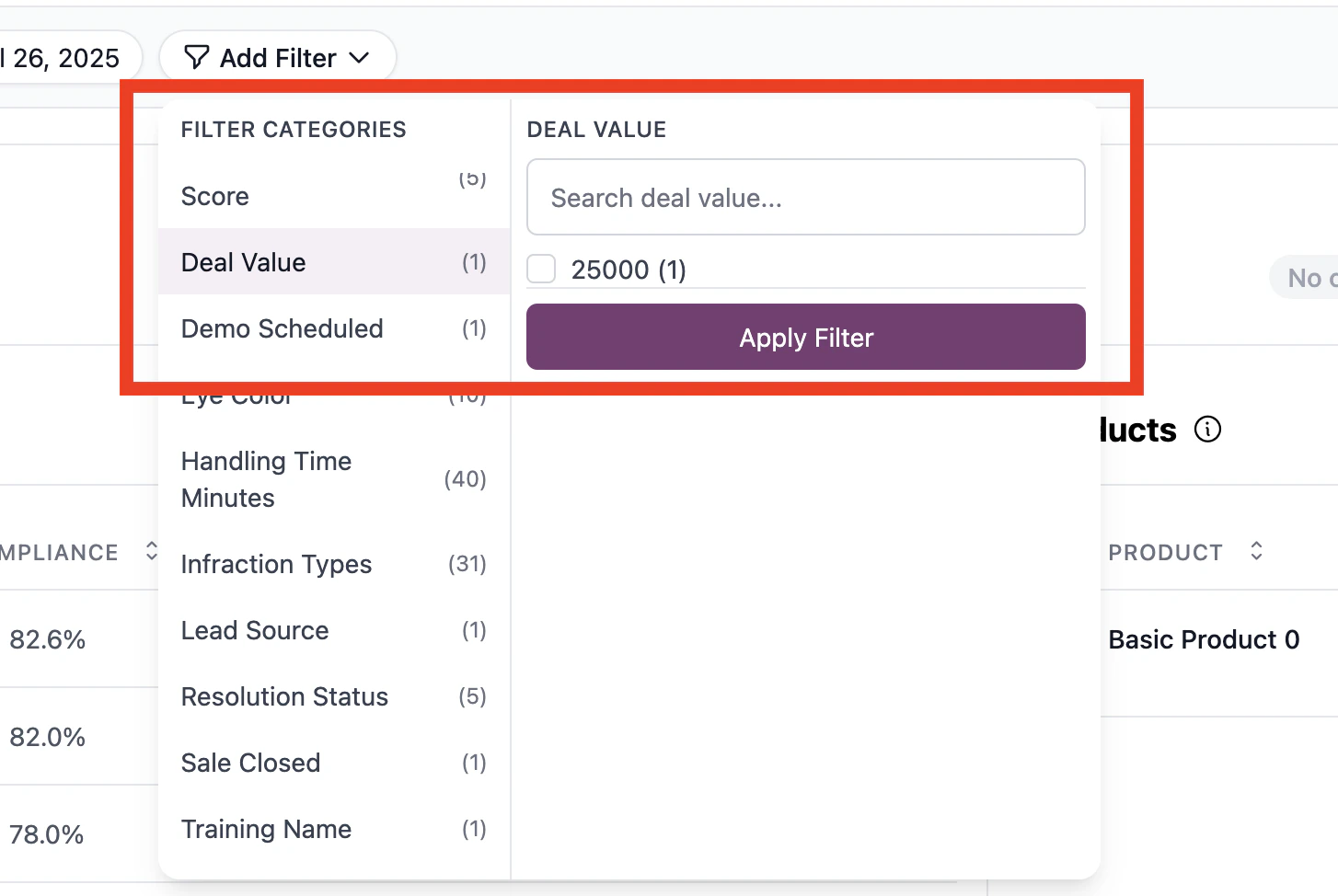
title

Common patterns

Real-time updates during calls

If you’re tracking live call events, send metadata as they happen:
# Customer mentions budget
add_tags(conversation_id, agent_email, [
    {'key': 'budget_discussed', 'value': True, 'type': 'boolean'},
    {'key': 'budget_amount', 'value': 50000, 'type': 'integer'}
])

# Demo gets scheduled
add_tags(conversation_id, agent_email, [
    {'key': 'demo_date', 'value': '2024-03-15', 'type': 'string'},
    {'key': 'demo_product', 'value': 'enterprise_suite', 'type': 'string'}
])

Post-call enrichment

You can also add metadata after calls end by pulling data from your CRM:
# After call ends, enrich with CRM data
crm_data = fetch_from_salesforce(customer_email)
add_tags(conversation_id, agent_email, [
    {'key': 'account_tier', 'value': crm_data['tier'], 'type': 'string'},
    {'key': 'lifetime_value', 'value': crm_data['ltv'], 'type': 'integer'},
    {'key': 'active_subscription', 'value': crm_data['is_active'], 'type': 'boolean'}
])
Metadata added after a call completes won’t be included in Reddy’s AI analysis (like QA compliance checks) but can be used for dashboard filtering and searching.

Questions? Check the API reference for the full endpoint spec.