

Report an Issue
Submit a support ticket with issue details⭐ Preferred
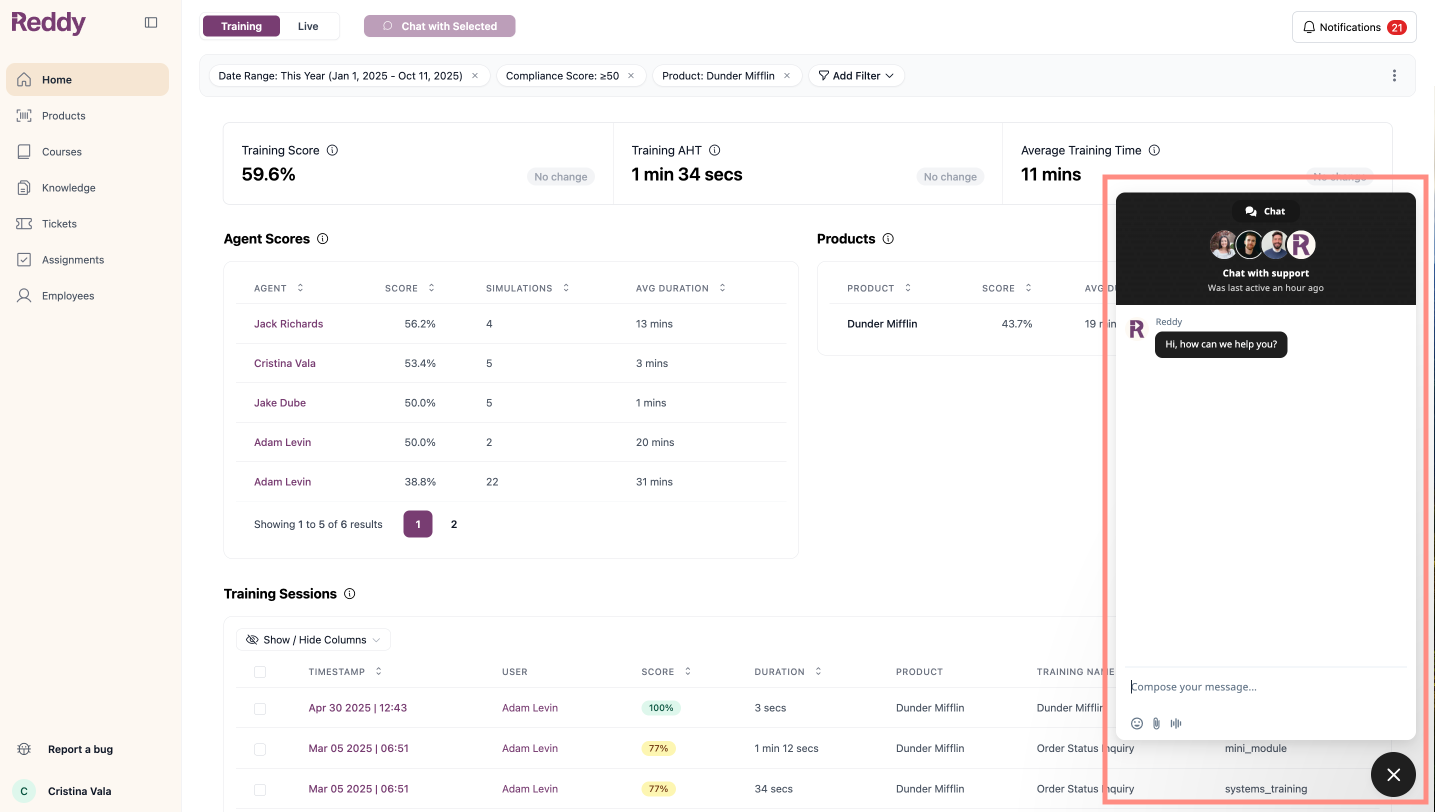
Chat with Support
Live conversation with Reddy support team⚡ Best for urgent issues
Help us help you! Whenever you encounter an issue, always report it through Reddy. This ensures your case is delivered directly to our support team and investigated promptly without delays.
Choose Your Support Method
- Report an Issue (Agents)
- Report an Issue (Managers)
- Live Chat (All Users)
Try These First
Before reporting an issue, try these common fixes:Microphone Not Working
Microphone Not Working
The most common issue, but usually a quick fix! If your microphone fails the check before starting a simulation, try these steps:
- Check browser microphone permissions
- Test microphone in system settings
- Try a different browser
- Restart your computer
General Technical Issues
General Technical Issues
If you’re experiencing loading problems, glitches, or errors:
- Refresh the page - Often resolves temporary issues
- Clear cache and cookies - Clear Chrome cookies
- Try incognito/private window - Opens a fresh browser without extensions
- Update your browser - Ensure you’re on the latest version
- Try a different browser - Switch to Chrome, Firefox, or Safari
- Try a different device - Test if the issue persists elsewhere
Report an Issue
Still having a problem? We’re here to help. Use the “Report an Issue” button to let us know what’s going on.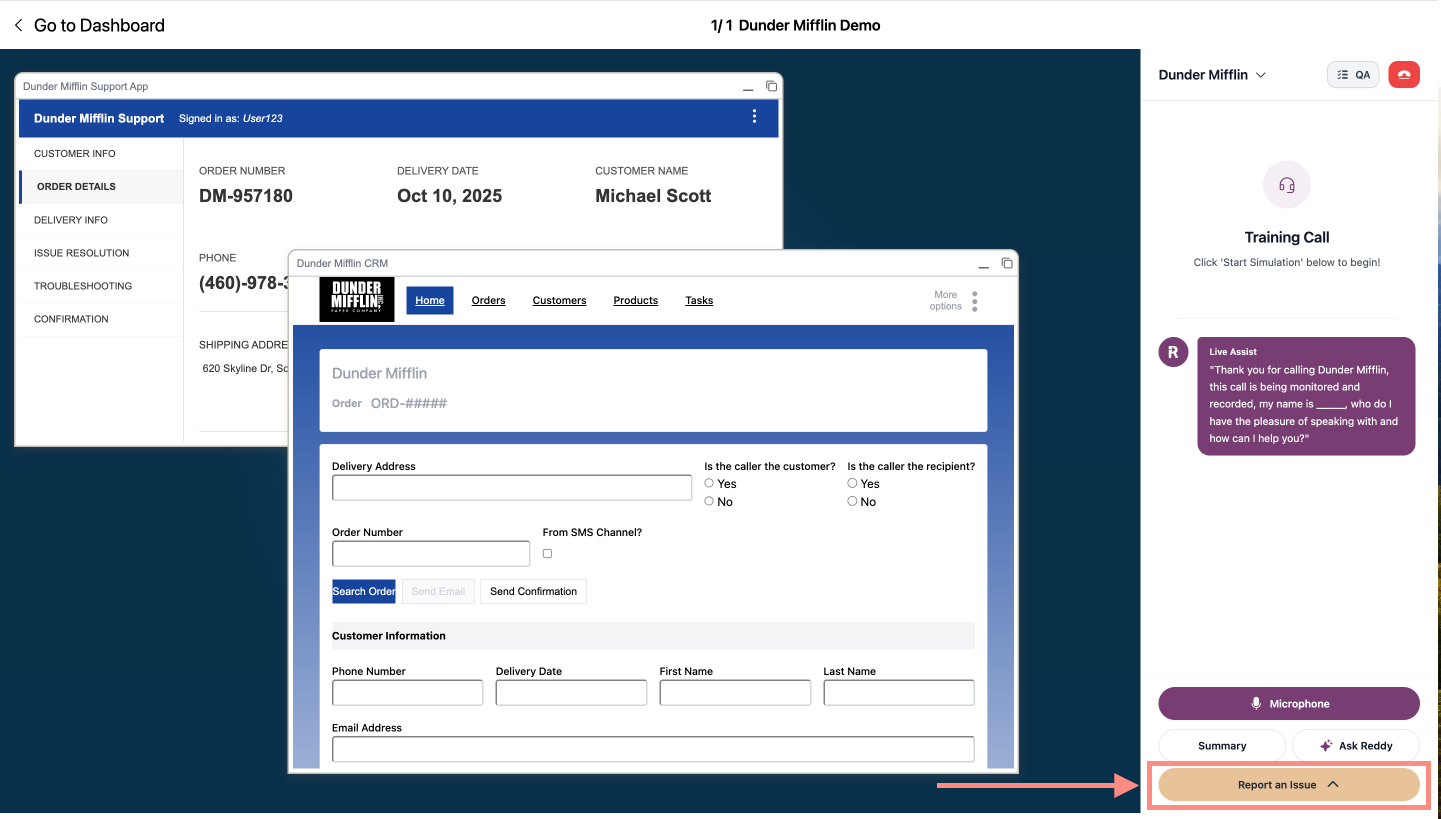
Training Simulation Issues
Training Simulation Issues
Select Issue Type
Choose from: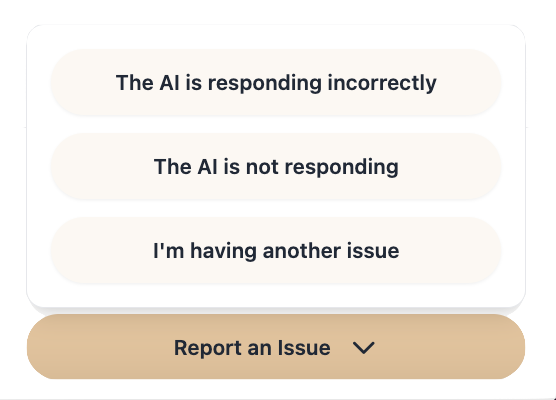
- The AI is responding incorrectly
- The AI is not responding
- I’m having another issue
Live Assist Issues
Live Assist Issues
Select Issue Type
Choose from: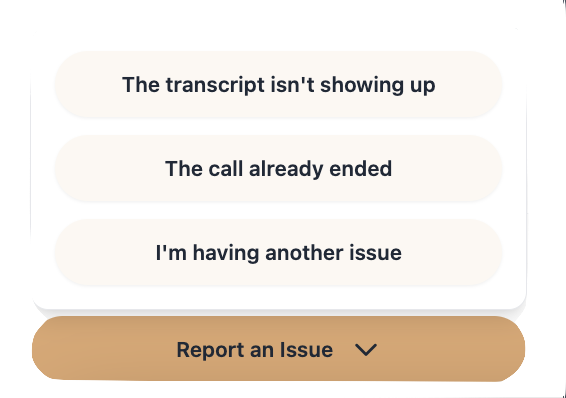
- The transcript isn’t showing up
- The call already ended
- I’m having another issue
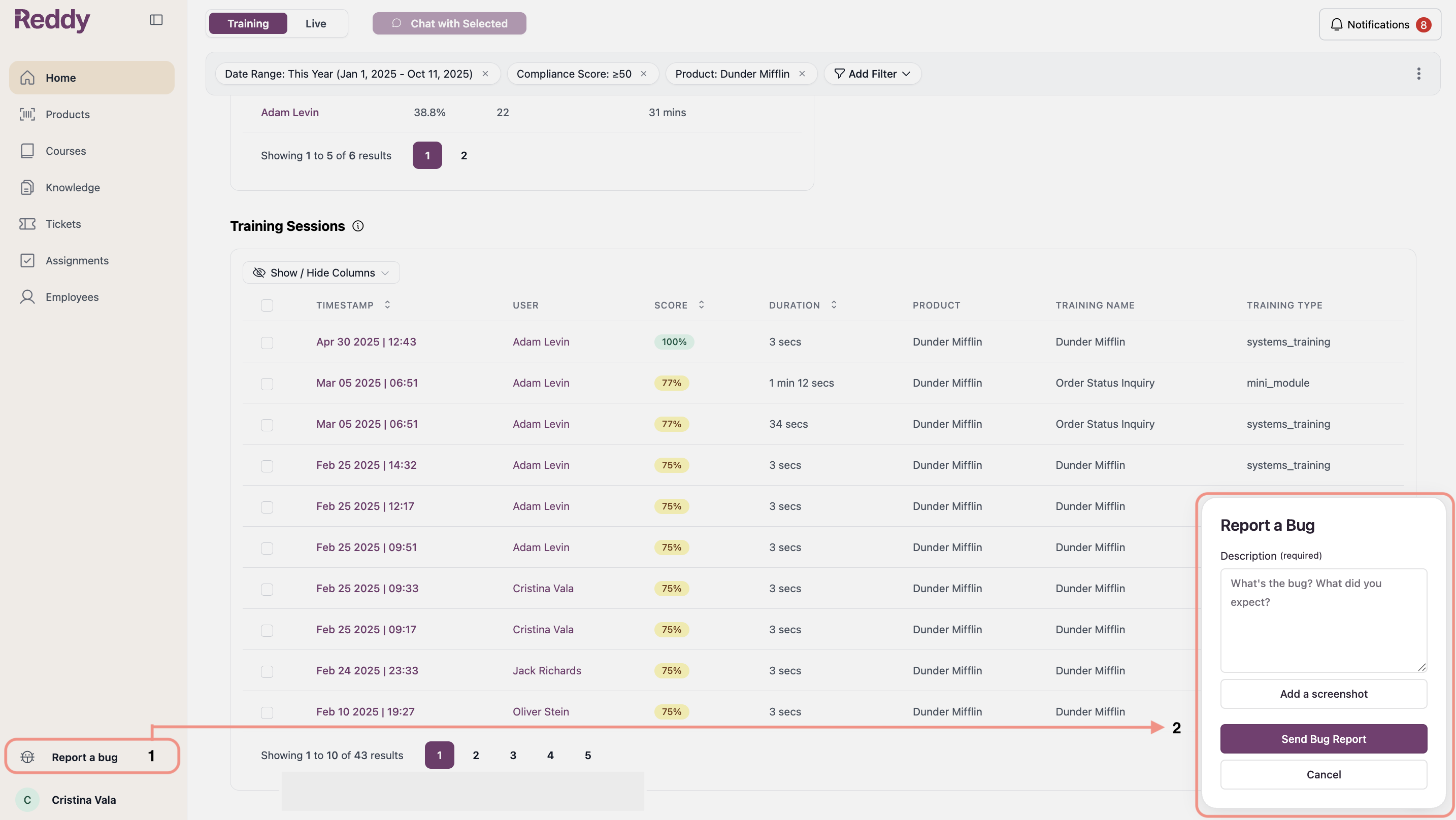

Additional Resources
Contact Project Manager
For critical business issues, contact your Reddy Project Manager directly for immediate escalation.
Product Requests
Submit feature requests and enhancement ideas through the Reddy ticketing system. Detailed guide coming soon.