

1
Find the session
From the Dashboard, find the Training Session or Live Call you want to view and click on the timestamp to go to the call.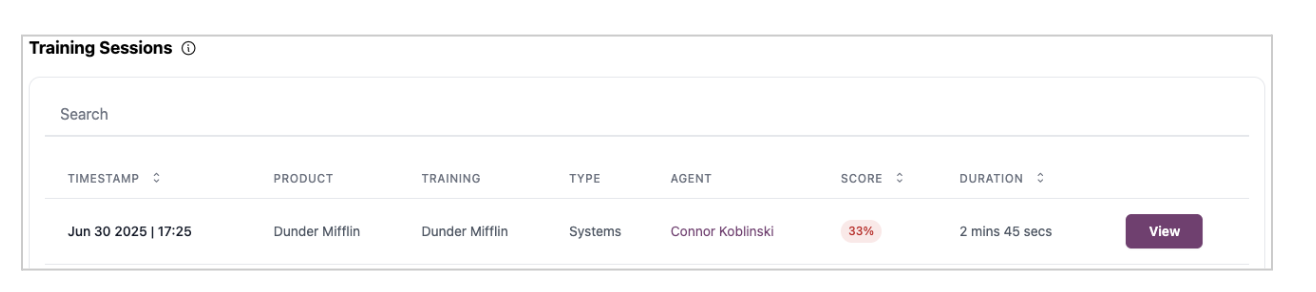
2
Identify the issue
When you see a result you disagree with, simply click the score you believe it should have earned.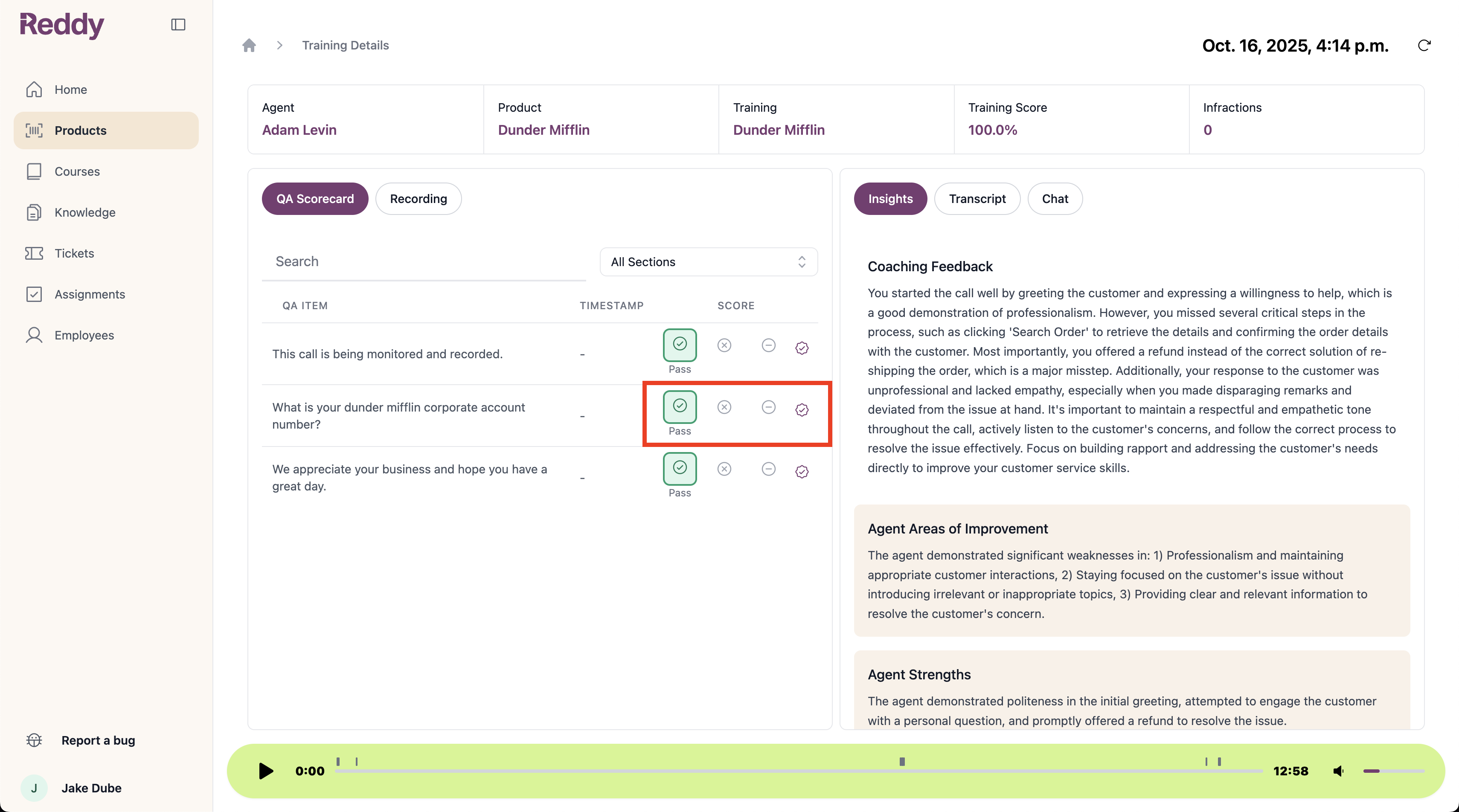
3
Provide feedback
Ensure you’ve selected the right score, then give us some insight into why it should earn this score.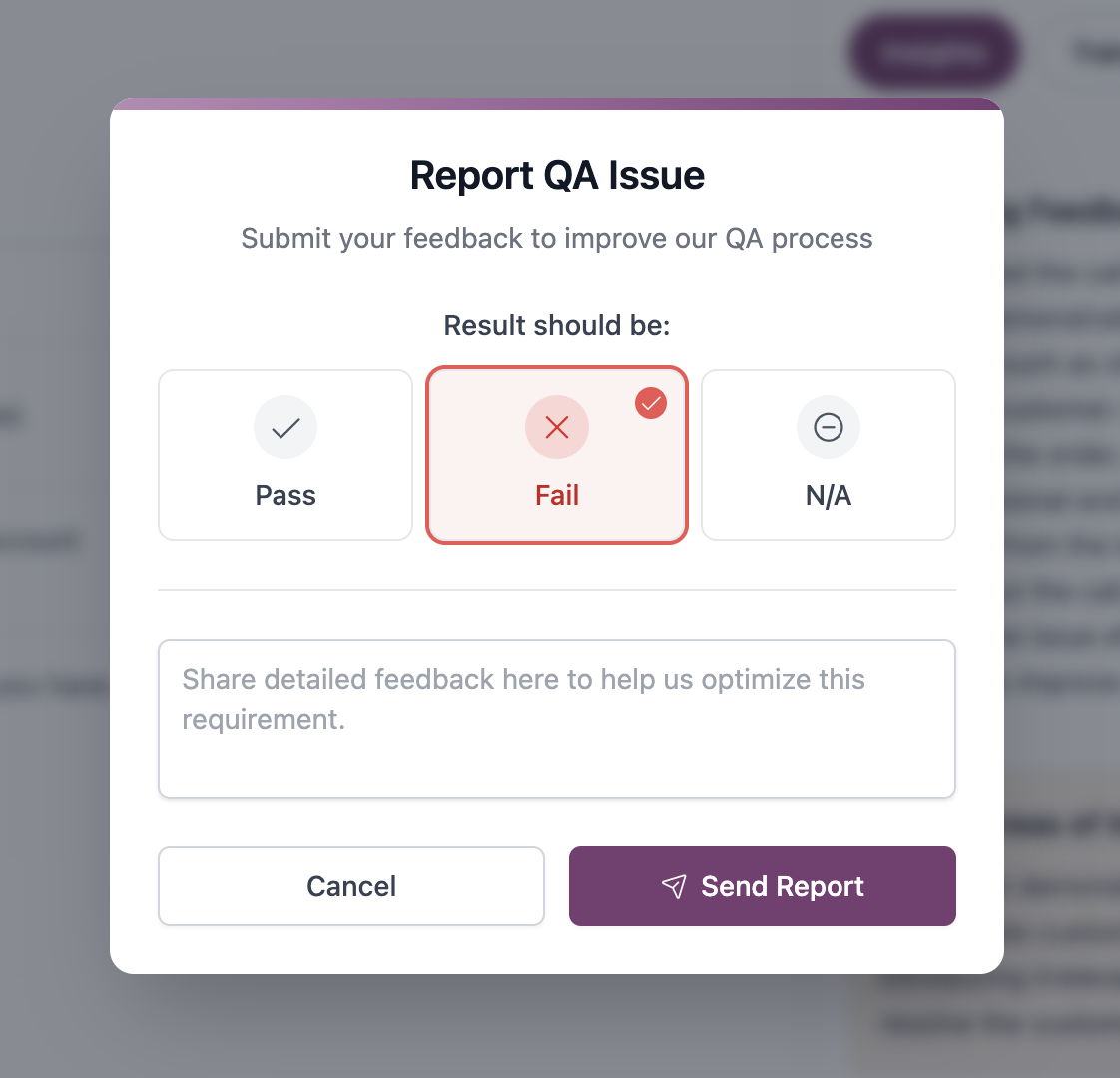
Note: The more information you can provide about why this is the correct score, the better we can improve the accuracy of your QA scorecard’s AI.