

Getting Started
Complete Microphone Check
When you first open Reddy, complete a quick mic check:
- Click Start Recording
- Say any word or phrase
- Click Continue
Access Your Dashboard
Your dashboard has two main views:
- Home
- Profile
Shows all courses, modules, and lessons assigned to you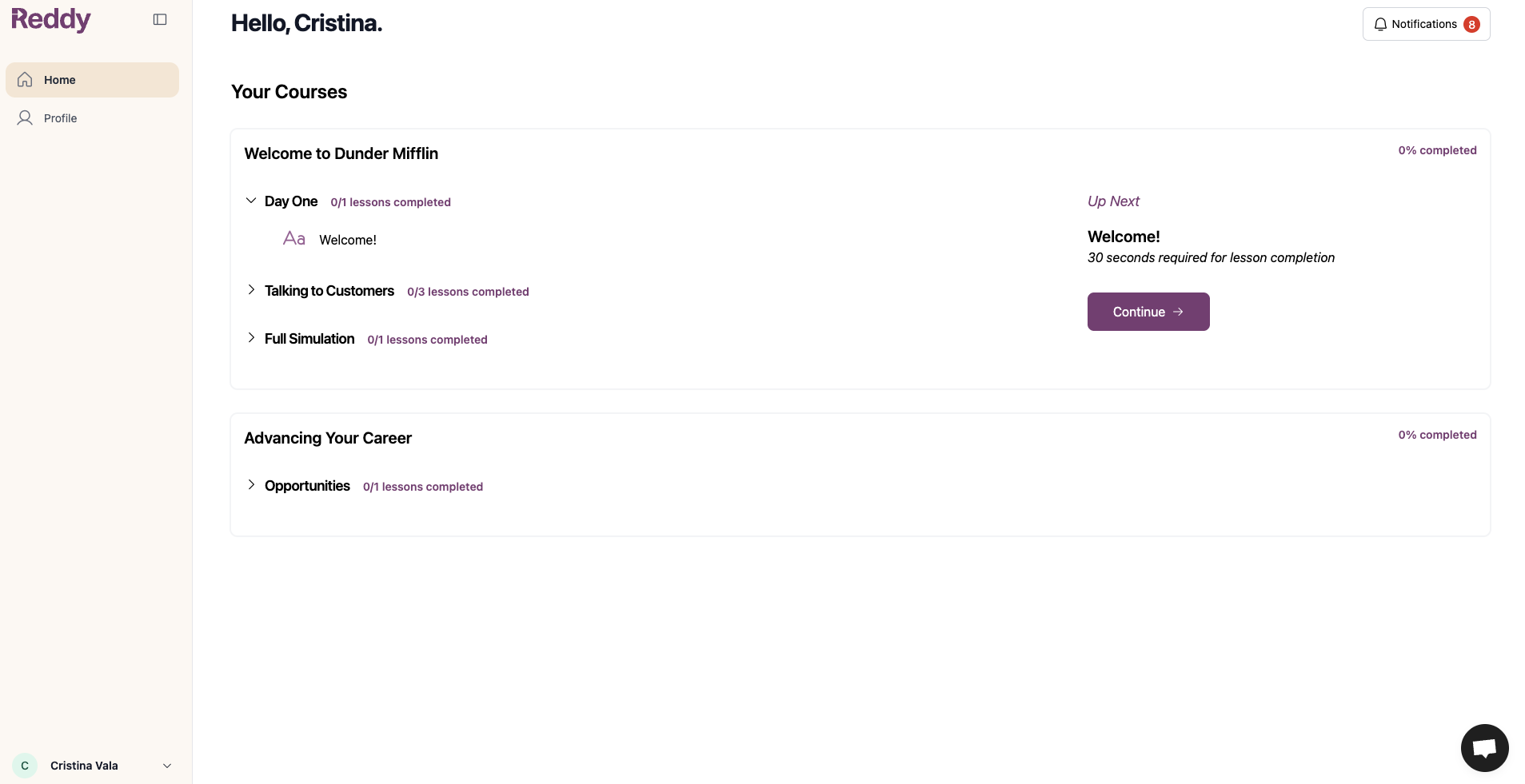
Courses
Courses
Contain all your training materialsExample: “Welcome to Dunder Mifflin” and “Advancing Your Career” are courses
Modules
Modules
Group related topics together within a courseExample: “Day One,” “Talking to Customers,” and “Full Simulation” are modules
Lessons
Lessons
Individual practice scenarios you complete within each moduleExample: The “Day One” module contains one lesson: “Welcome!”
A module may contain multiple lessons in different formats (content to read, videos, interactive simulations, etc).
Completing Lessons
Each lesson requires:- Minimum score (usually 50% or higher)
- Multiple successful runs (usually 5 attempts)
A “run” is one practice session. You need to pass multiple times to show consistent mastery.
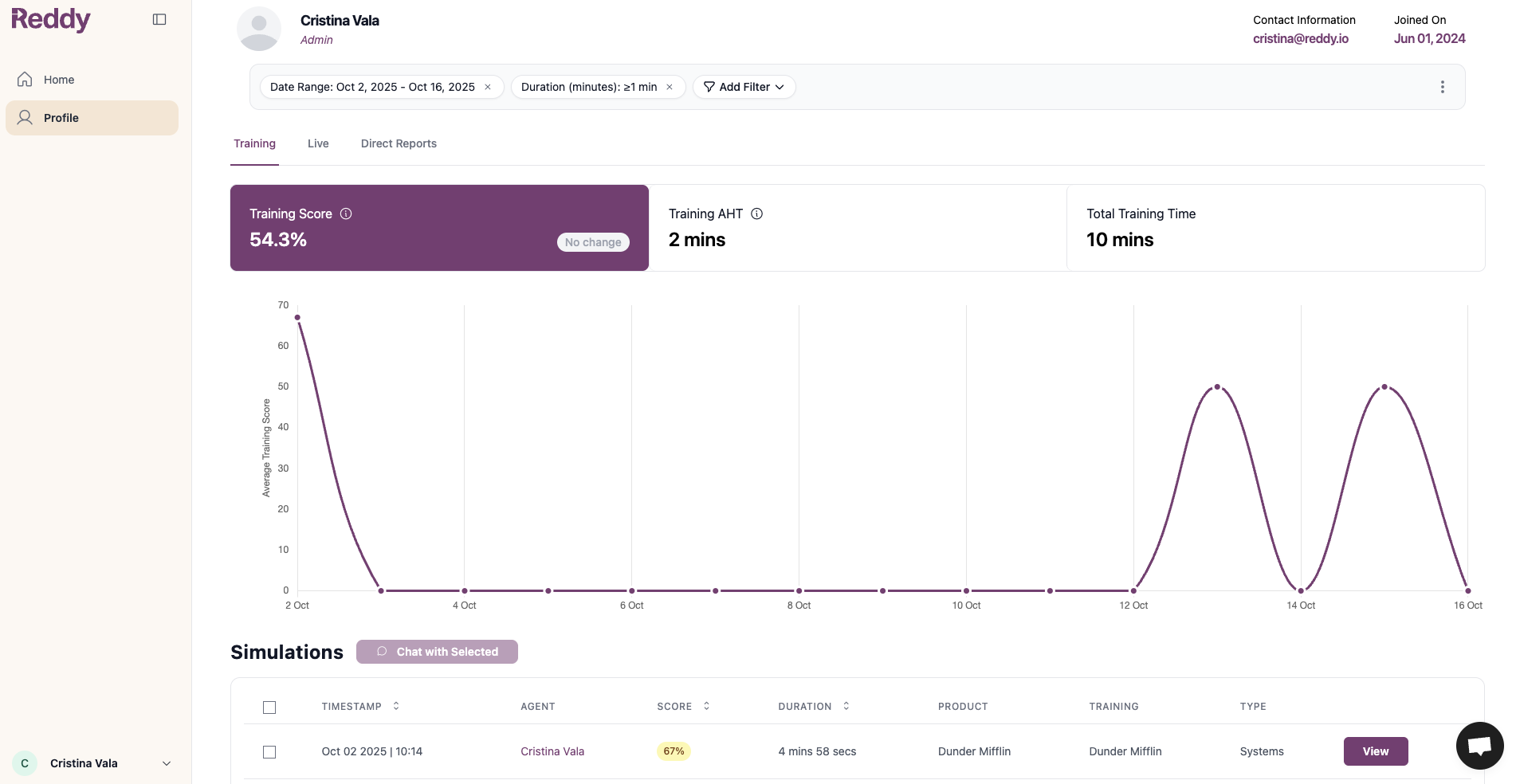
- Grey bar next to each lesson shows completion progress
- Click your Profile tab for detailed metrics
Both criteria must be met to complete a lesson. If you finish 5 runs but haven’t reached the minimum score, keep practicing to improve your performance.
Next Steps
Ready to get started? Click the Continue button in the “Up Next” panel on the right side of your Home dashboard to jump into the lesson queued up for you. Want a deeper overview of what to expect in your first interactive simulation? Check out our complete guide first.Simulation Guide
Step-by-step walkthrough of your first simulation from start to finish