> ## Documentation Index
> Fetch the complete documentation index at: https://docs.reddy.io/llms.txt
> Use this file to discover all available pages before exploring further.
# Graduating to Trainees
> End testing, make the simulation live, and keep improving it from trainee feedback
Graduating moves a simulation from testers to trainees. Testing stops, the simulation is treated as live, and the same review loop continues on the feedback trainees leave, on a cadence you choose.
## When to graduate
When a round finishes with every survey rated 8 or higher and no thumbs down, the Testing tab suggests it. **Graduate to trainees** is also always available on the round card for approvers, so you can graduate whenever you are satisfied.
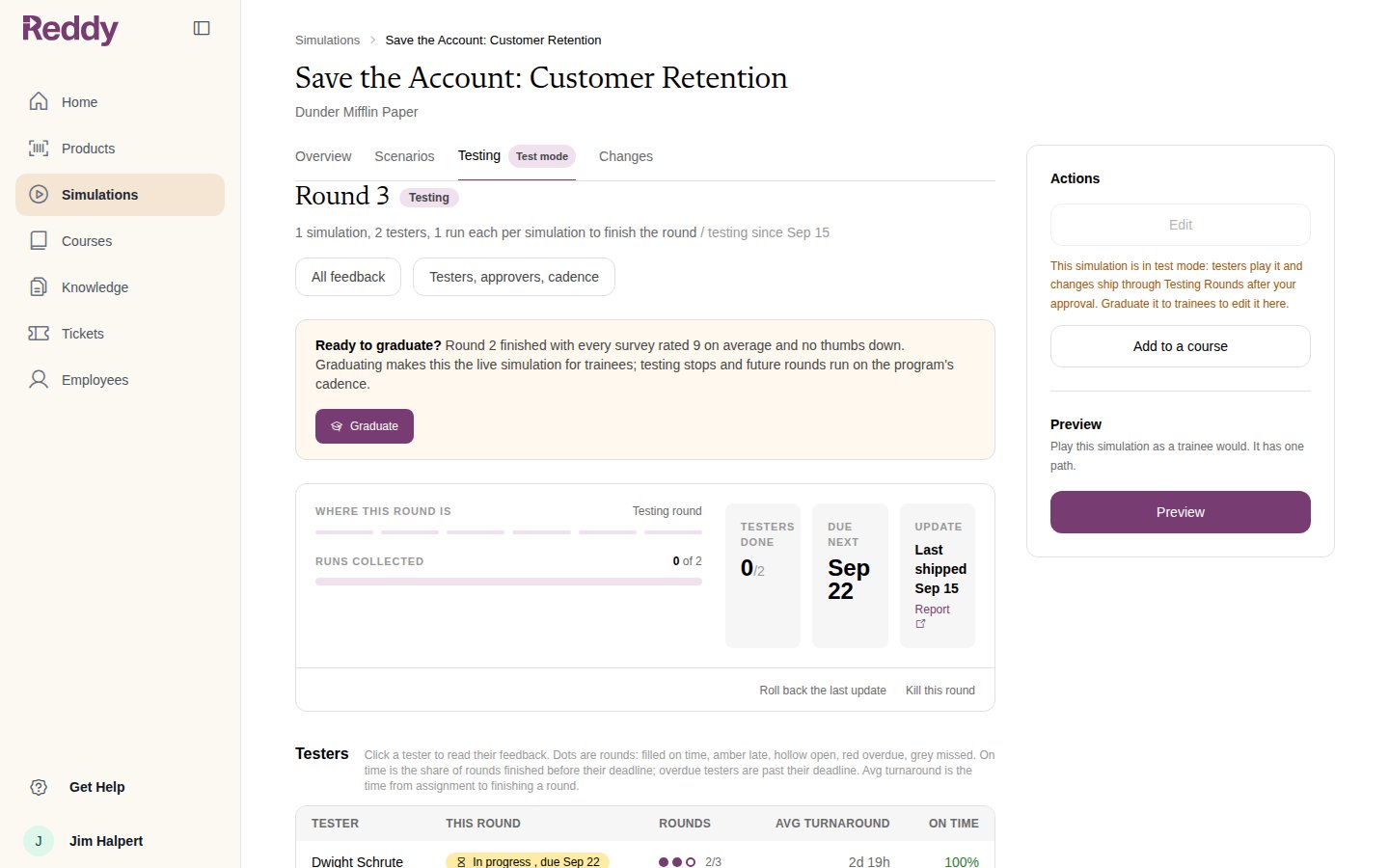
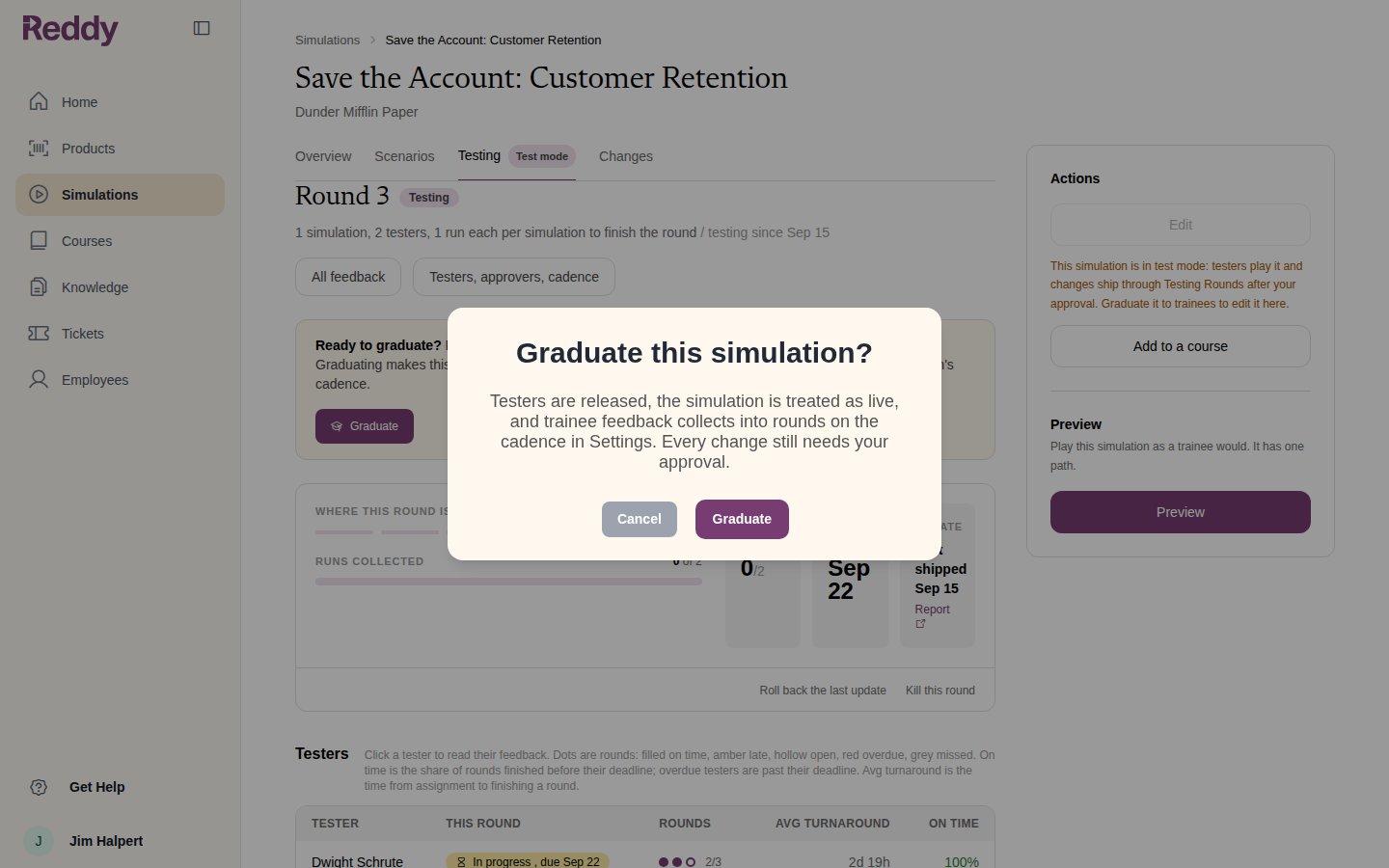 Graduating:
* releases the testers and retires the simulation's lesson in the tester course
* marks the simulation **Live** on its page and in the Simulations list
* starts collecting trainee feedback into rounds on the cadence in Settings
* re-enables **Edit** on the simulation's page
Every change still needs your approval.
## Live rounds
In the live phase the round card counts **trainee feedback since the last update**, wherever trainees play the simulation from.
Graduating:
* releases the testers and retires the simulation's lesson in the tester course
* marks the simulation **Live** on its page and in the Simulations list
* starts collecting trainee feedback into rounds on the cadence in Settings
* re-enables **Edit** on the simulation's page
Every change still needs your approval.
## Live rounds
In the live phase the round card counts **trainee feedback since the last update**, wherever trainees play the simulation from.
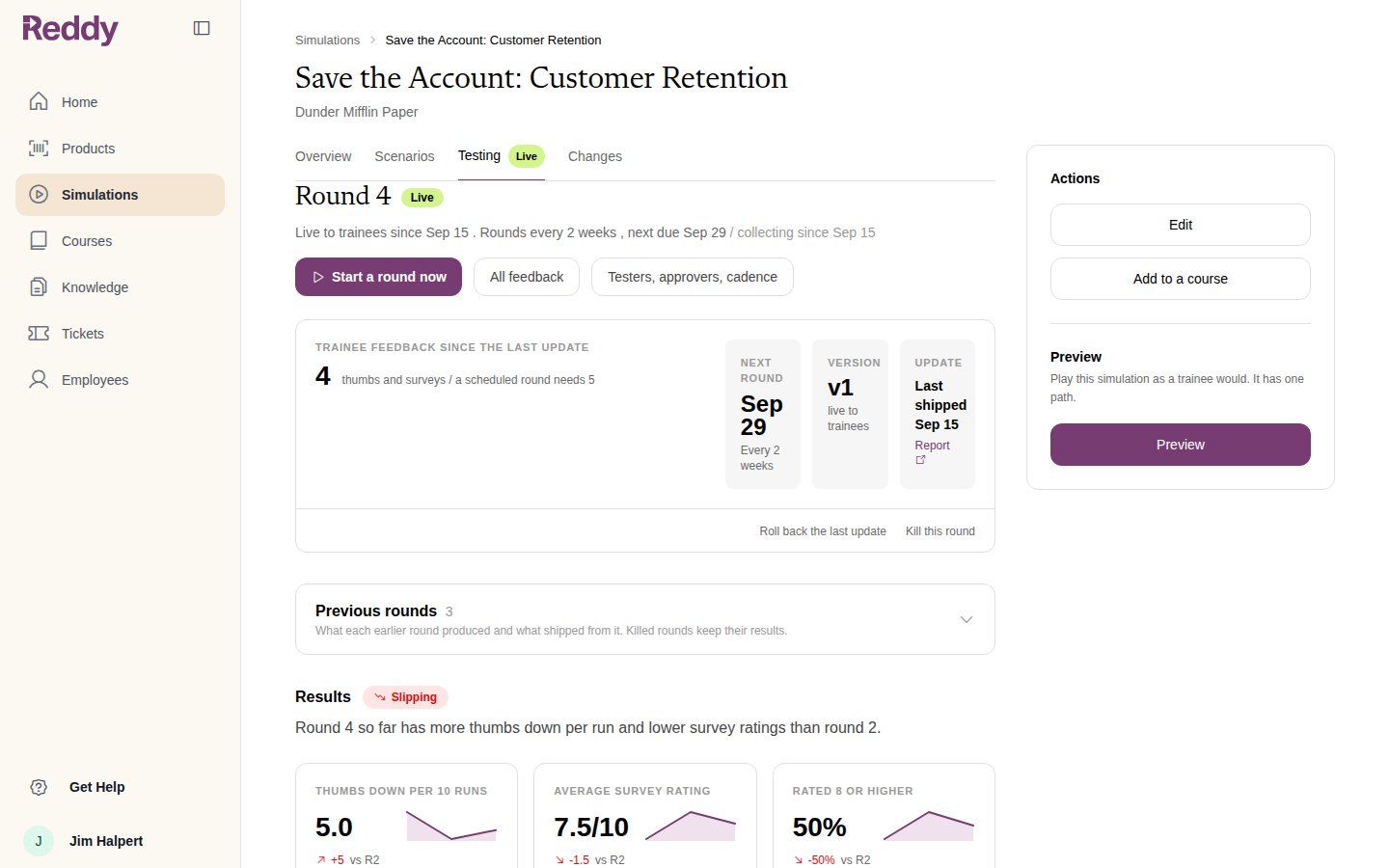 A round opens in one of two ways:
* **On the cadence** set under **Live rounds** in Settings (every 2 weeks or monthly), once at least the **Minimum new feedback** has arrived
* **Start a round now** on the round card, at any time
From there the review is the same as in testing: Reddy reads the feedback, asks its questions, drafts a plan, and you approve it. See [Reviewing and Approving Changes](/manual/training/approving-changes). Every shipped change is a new version on the Changes tab.
## Editing a live simulation
Once live, **Edit** on the simulation's page opens the edit wizard again. An edit that ships closes the current trainee round and opens the next one on the new version, so what trainees play next is what you just changed. See [Mini Module Builder](/manual/training/mini-module-builder#editing-a-module).
## FAQ
Yes. **Graduate to trainees** is available as soon as the module is built. Nothing has to pass first.
Its lesson is retired so the course no longer counts as using the simulation. Testers can be removed from it, or left on it; they are not sent new rounds.
Make a course with the simulation as a lesson, tick **Enable test mode** on it, and assign testers. See [Testers and Rounds](/manual/training/testers-and-rounds).
Reddy never opens a live round on its own. Use **Start a round now** when you want trainee feedback reviewed.
A round opens in one of two ways:
* **On the cadence** set under **Live rounds** in Settings (every 2 weeks or monthly), once at least the **Minimum new feedback** has arrived
* **Start a round now** on the round card, at any time
From there the review is the same as in testing: Reddy reads the feedback, asks its questions, drafts a plan, and you approve it. See [Reviewing and Approving Changes](/manual/training/approving-changes). Every shipped change is a new version on the Changes tab.
## Editing a live simulation
Once live, **Edit** on the simulation's page opens the edit wizard again. An edit that ships closes the current trainee round and opens the next one on the new version, so what trainees play next is what you just changed. See [Mini Module Builder](/manual/training/mini-module-builder#editing-a-module).
## FAQ
Yes. **Graduate to trainees** is available as soon as the module is built. Nothing has to pass first.
Its lesson is retired so the course no longer counts as using the simulation. Testers can be removed from it, or left on it; they are not sent new rounds.
Make a course with the simulation as a lesson, tick **Enable test mode** on it, and assign testers. See [Testers and Rounds](/manual/training/testers-and-rounds).
Reddy never opens a live round on its own. Use **Start a round now** when you want trainee feedback reviewed.