> ## Documentation Index
> Fetch the complete documentation index at: https://docs.reddy.io/llms.txt
> Use this file to discover all available pages before exploring further.
# Versions and Audit Trail
> Every change that shipped, who asked for it, who approved it, and what it touched
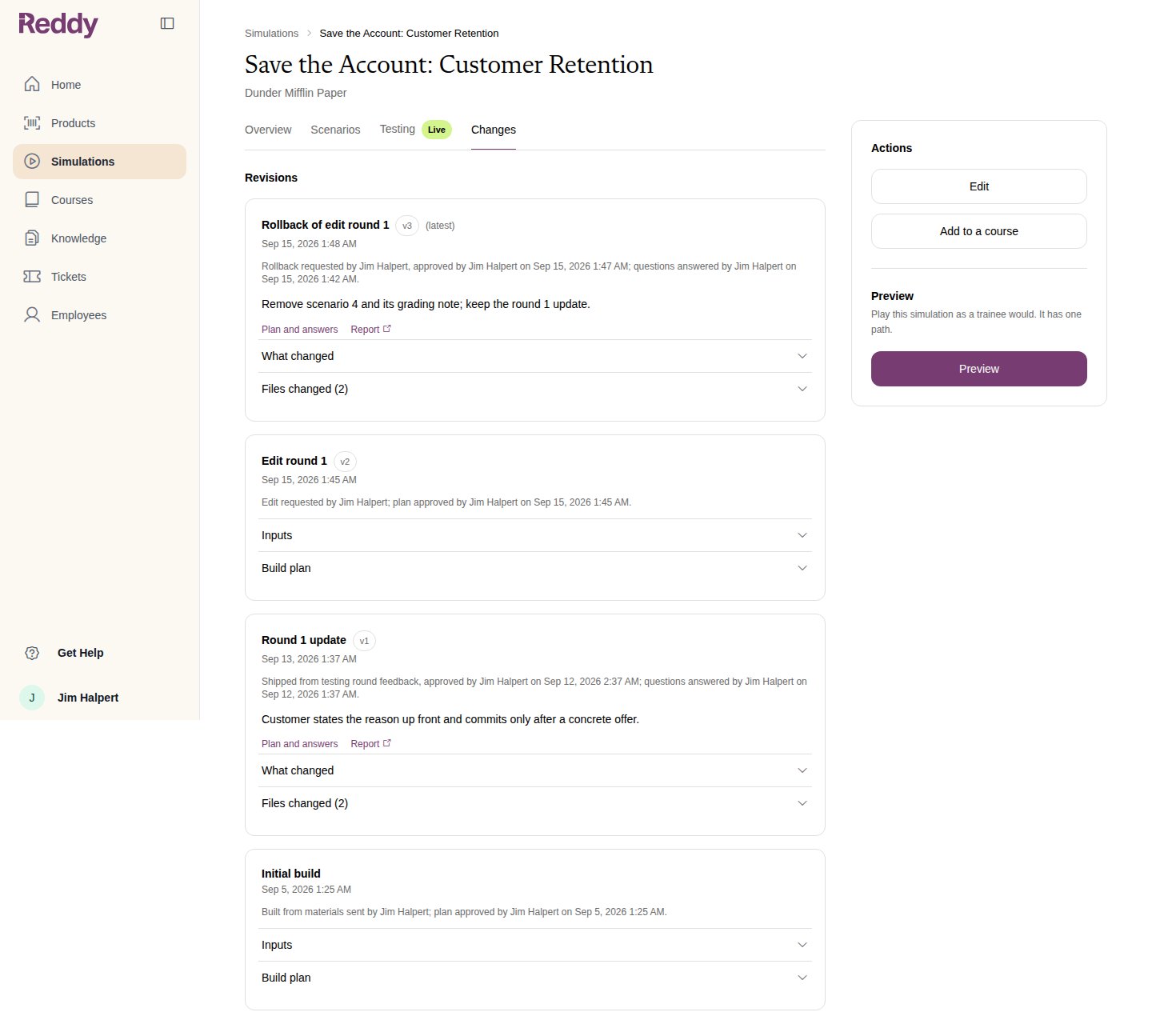
The **Changes** tab on a simulation's page is its history. Every change that reaches trainees is a numbered version, newest first, whichever door it came through: the edit wizard, a testing round, or a rollback.
 ## What each row records
The initial build is the baseline. Each later row carries an audit line saying who did what and when:
| Row | Audit line |
| ------------------- | --------------------------------------------------------------------------------------------------------- |
| **Initial build** | Built from materials sent by (name); plan approved by (name) on (date) |
| **Edit round N** | Edit requested by (name); plan approved by (name) on (date) |
| **Round N update** | Shipped from testing round feedback, approved by (name) on (date); questions answered by (name) on (date) |
| **Rollback of ...** | Rollback requested by (name), approved by (name) on (date); questions answered by (name) on (date) |
Expand a row for what went into it:
* **Inputs** on a build or edit: the description you wrote and the files you uploaded, listed by name
* **Build plan**: the plan approved for that version
* **Plan and answers** and **Report** on a testing update or rollback: the plan, the questions and answers, and the report Reddy wrote when it shipped
* **What changed** and **Files changed**: the plain-language summary and the simulation files the change touched
## What each row records
The initial build is the baseline. Each later row carries an audit line saying who did what and when:
| Row | Audit line |
| ------------------- | --------------------------------------------------------------------------------------------------------- |
| **Initial build** | Built from materials sent by (name); plan approved by (name) on (date) |
| **Edit round N** | Edit requested by (name); plan approved by (name) on (date) |
| **Round N update** | Shipped from testing round feedback, approved by (name) on (date); questions answered by (name) on (date) |
| **Rollback of ...** | Rollback requested by (name), approved by (name) on (date); questions answered by (name) on (date) |
Expand a row for what went into it:
* **Inputs** on a build or edit: the description you wrote and the files you uploaded, listed by name
* **Build plan**: the plan approved for that version
* **Plan and answers** and **Report** on a testing update or rollback: the plan, the questions and answers, and the report Reddy wrote when it shipped
* **What changed** and **Files changed**: the plain-language summary and the simulation files the change touched
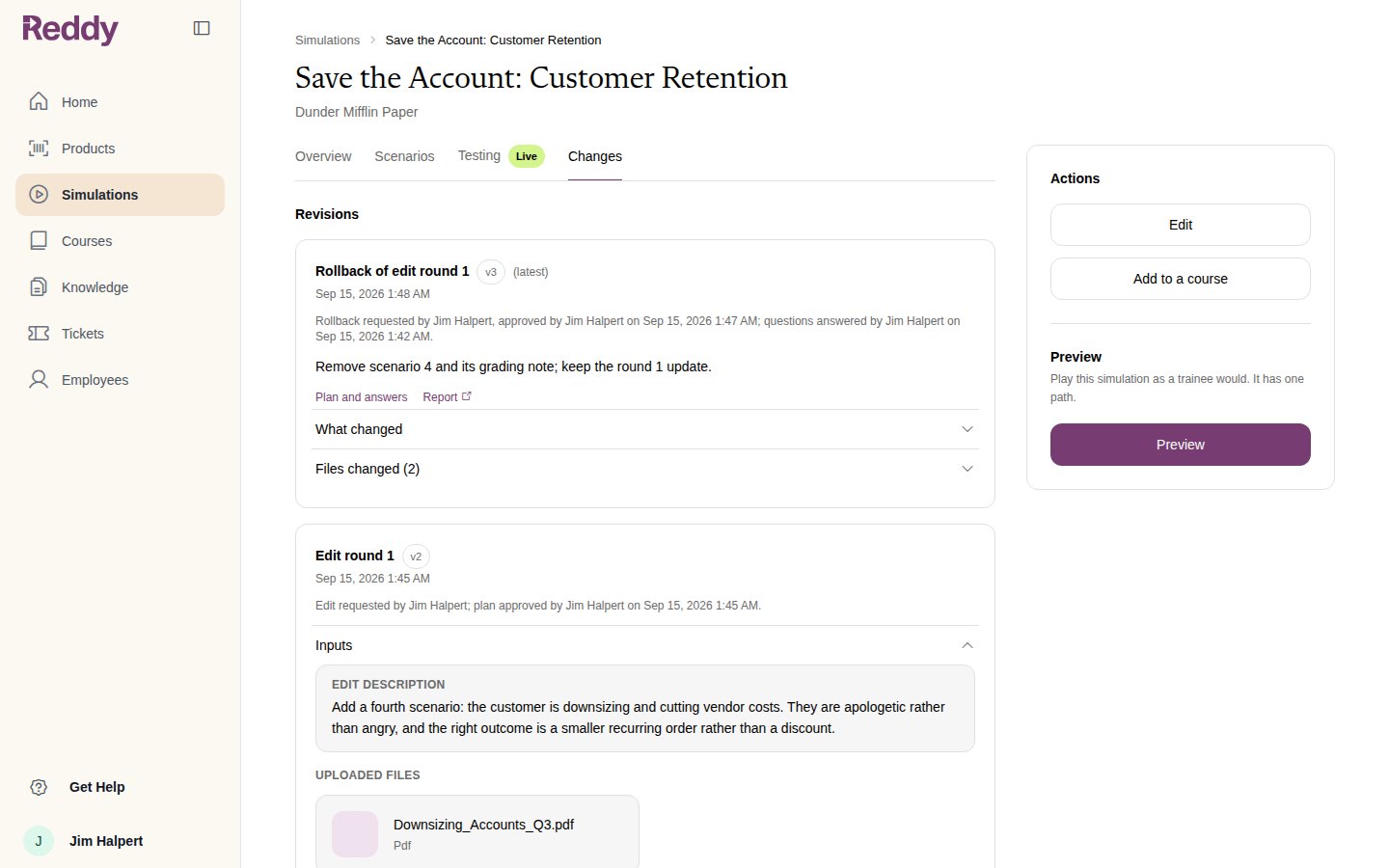 Uploaded materials are listed by name only. They stay with the simulation for Reddy to work from, but they cannot be downloaded or played back from this page.
## Version numbers
The version marked **latest** is what trainees play now, and the same number shows on the Testing tab. Numbers only go up: a rollback is a new version that restores an earlier state, not a deletion of history. **Roll back this update** appears on the newest version when it can be undone; see [Rolling Back a Change](/manual/training/rolling-back-a-change).
## FAQ
It is the baseline the versions count from. v1 is the first change after it.
It shipped before Reddy recorded who requested and approved changes. Everything from now on carries one.
Not from this page. If you need a copy back, ask your Reddy contact.
Uploaded materials are listed by name only. They stay with the simulation for Reddy to work from, but they cannot be downloaded or played back from this page.
## Version numbers
The version marked **latest** is what trainees play now, and the same number shows on the Testing tab. Numbers only go up: a rollback is a new version that restores an earlier state, not a deletion of history. **Roll back this update** appears on the newest version when it can be undone; see [Rolling Back a Change](/manual/training/rolling-back-a-change).
## FAQ
It is the baseline the versions count from. v1 is the first change after it.
It shipped before Reddy recorded who requested and approved changes. Everything from now on carries one.
Not from this page. If you need a copy back, ask your Reddy contact.