> ## Documentation Index
> Fetch the complete documentation index at: https://docs.reddy.io/llms.txt
> Use this file to discover all available pages before exploring further.
# Reviewing and Approving Changes
> Read what testers said, answer Reddy's questions, and approve the change plan before anything ships
When a round closes, Reddy reads the feedback and proposes a change. Nothing changes until an approver signs off. This page walks through that review from the closed round to the next one. Setting up testers and rounds is covered in [Testers and Rounds](/manual/training/testers-and-rounds).
Only the program's approvers see Reddy's reading, its questions and its plan. Approvers are the simulation's creator plus anyone added under **Approvers** on the Settings tab.
## When the round closes
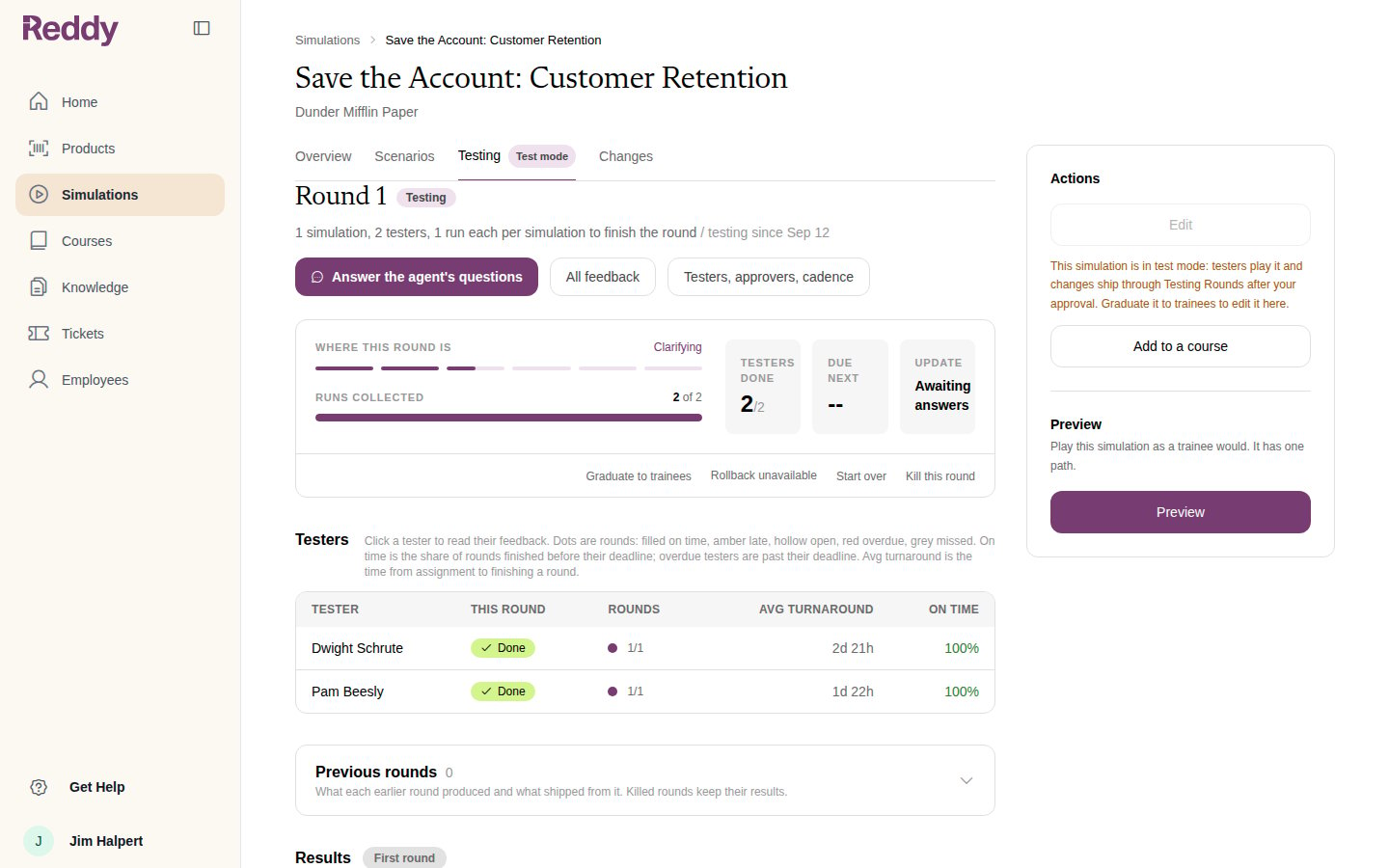
Once every tester has met their runs, Reddy reviews the round. If it needs to know more before proposing a change, the update tile reads **Awaiting answers** and approvers see **Answer the agent's questions**.
 ## Reddy's reading of the round
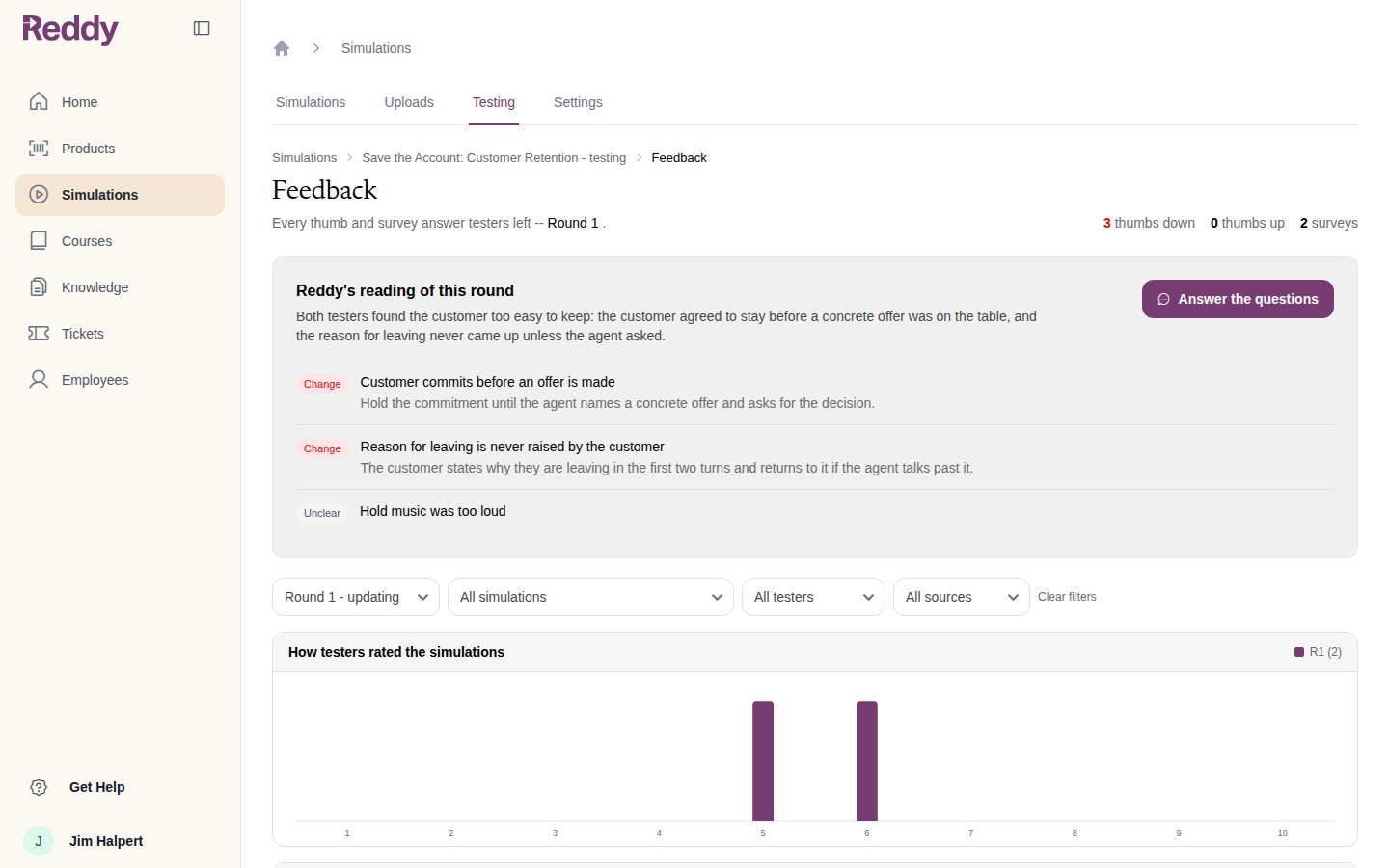
The button opens the round's **Feedback** page. At the top, **Reddy's reading of this round** summarises what testers said and lists each finding with a verdict:
* **Change**: something Reddy proposes to fix, with the change it has in mind
* **Unclear**: something it heard but will not act on
Every thumb and survey answer from the round is listed underneath, so you can check the reading against what was actually said.
## Reddy's reading of the round
The button opens the round's **Feedback** page. At the top, **Reddy's reading of this round** summarises what testers said and lists each finding with a verdict:
* **Change**: something Reddy proposes to fix, with the change it has in mind
* **Unclear**: something it heard but will not act on
Every thumb and survey answer from the round is listed underneath, so you can check the reading against what was actually said.
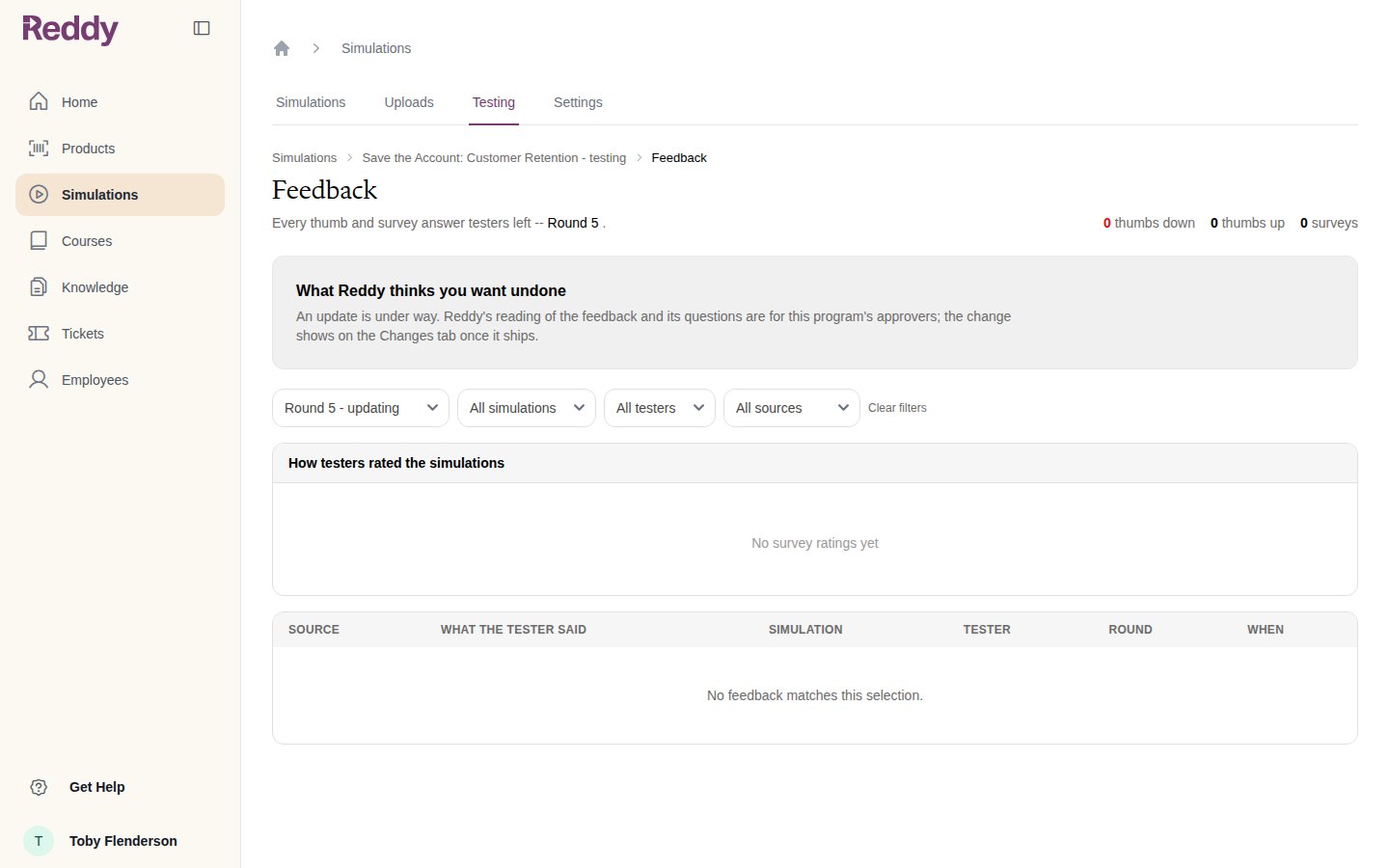
 A manager who is not an approver sees that an update is under way, but not the reading.
 ## Answering the questions
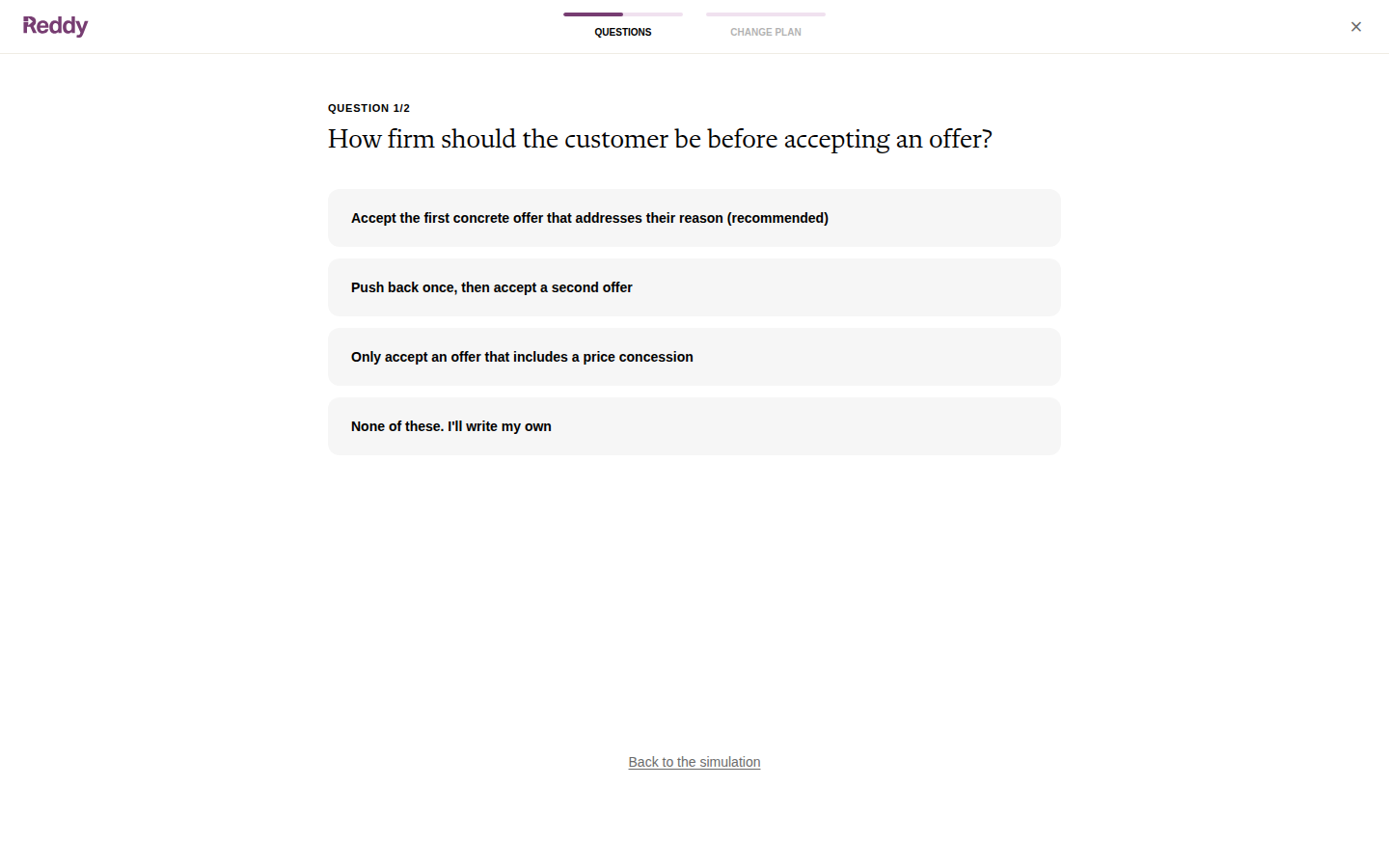
**Answer the questions** opens a two-step wizard: **Questions**, then **Change plan**. Reddy asks one question at a time with suggested answers and the one it recommends. Click an answer to move on, or **None of these. I'll write my own** to type your own.
## Answering the questions
**Answer the questions** opens a two-step wizard: **Questions**, then **Change plan**. Reddy asks one question at a time with suggested answers and the one it recommends. Click an answer to move on, or **None of these. I'll write my own** to type your own.
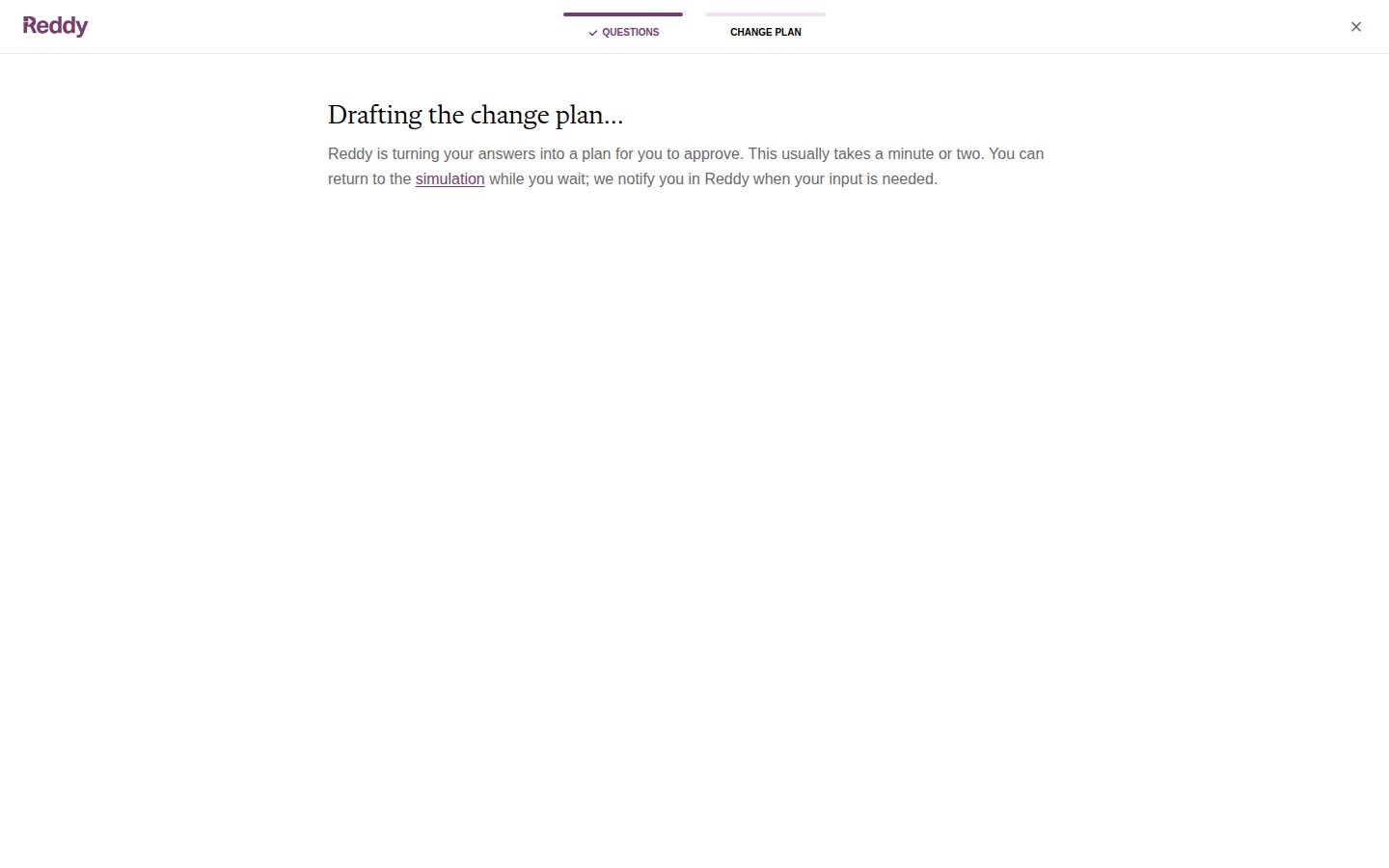
 After the last answer Reddy drafts the plan. This takes a minute or two.
 ## The change plan
The plan is written for you, not for engineers: a summary, each change as **Now**, **After** and **Why**, and what happens to grading.
## The change plan
The plan is written for you, not for engineers: a summary, each change as **Now**, **After** and **Why**, and what happens to grading.
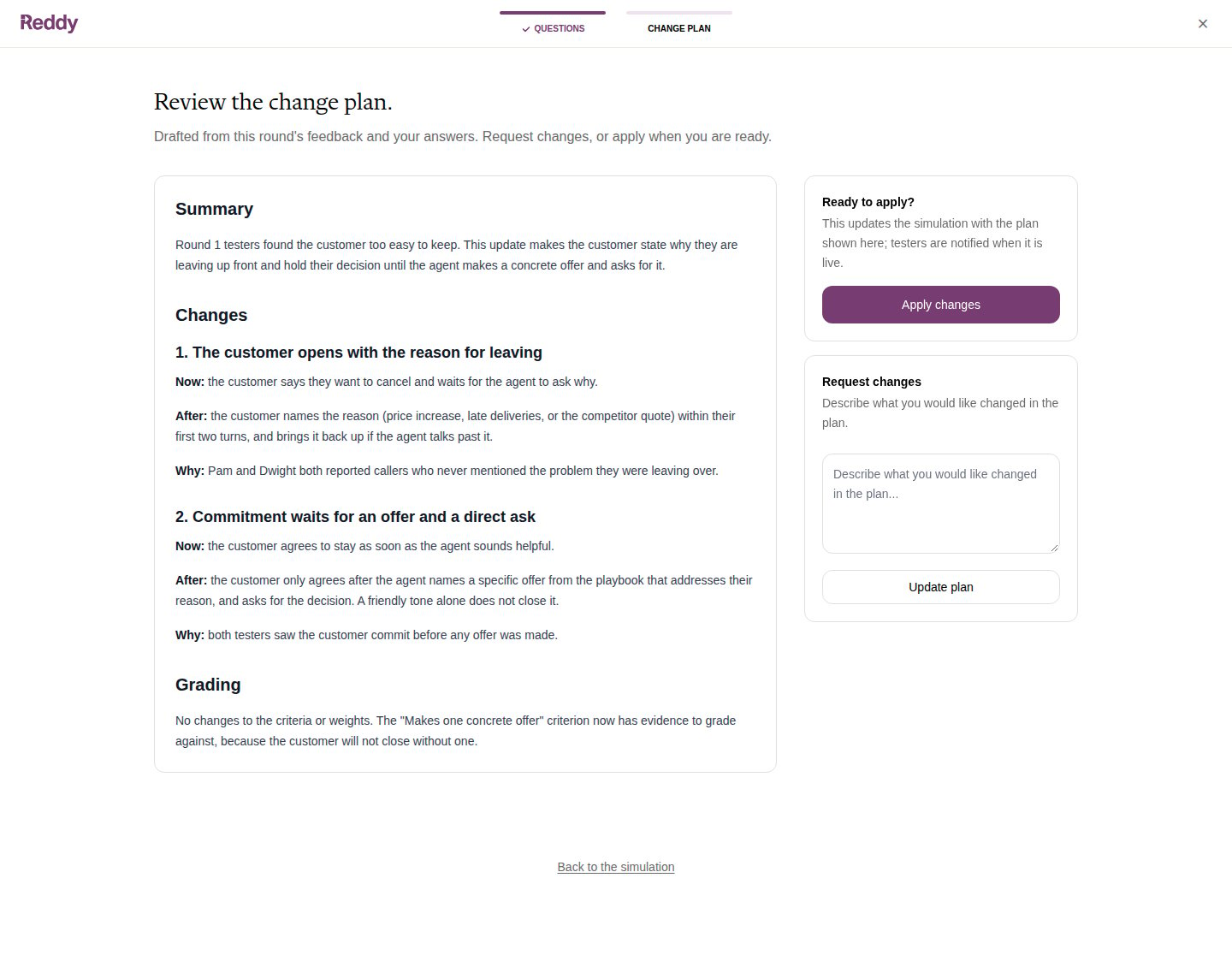 * **Apply changes** approves the plan. Reddy updates the simulation as written and ships it through the usual checks and deploy.
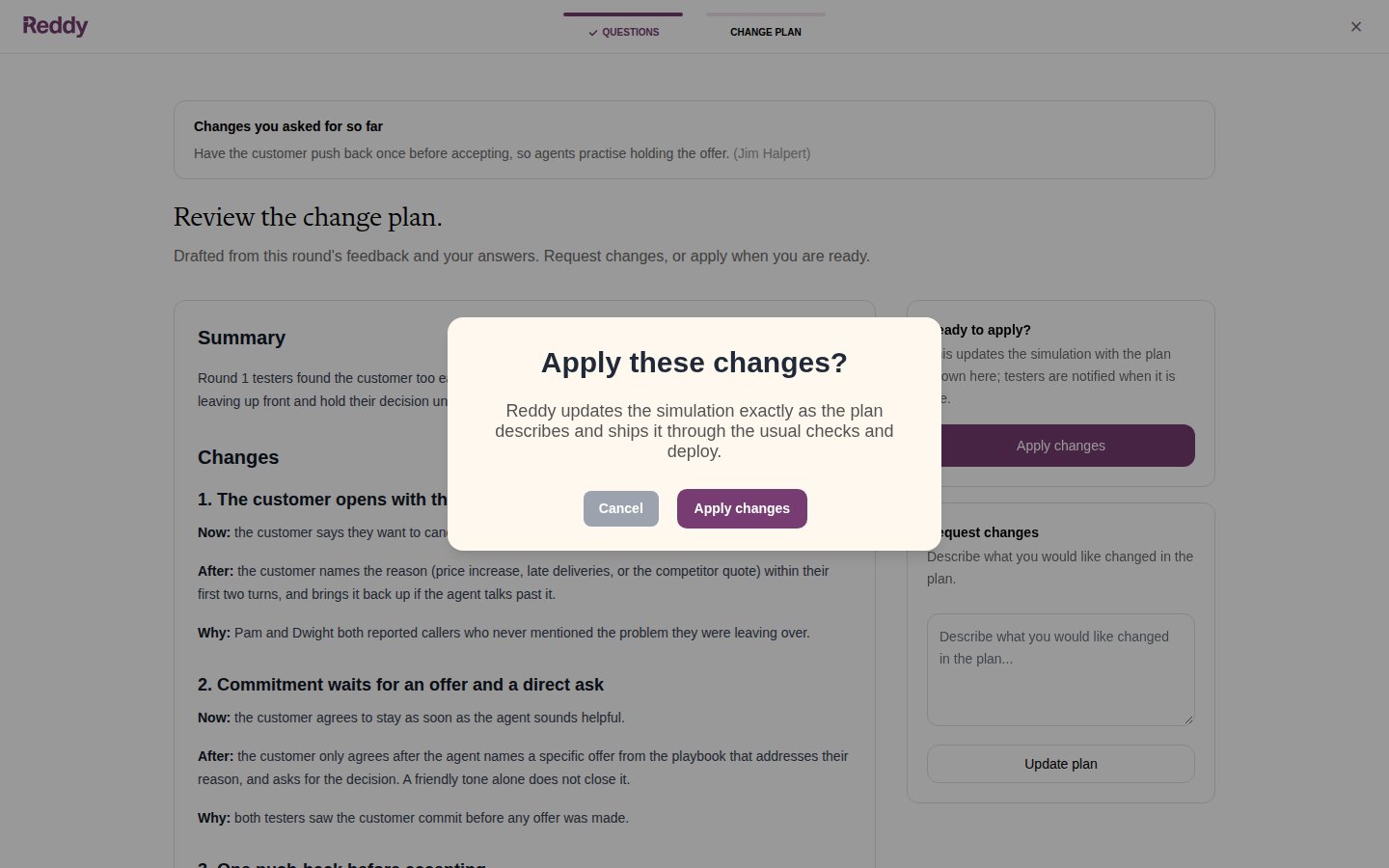
* **Request changes** sends it back. Describe what should be different and click **Update plan**. Reddy redrafts, and everything you asked for so far is listed above the new plan.
* **Apply changes** approves the plan. Reddy updates the simulation as written and ships it through the usual checks and deploy.
* **Request changes** sends it back. Describe what should be different and click **Update plan**. Reddy redrafts, and everything you asked for so far is listed above the new plan.
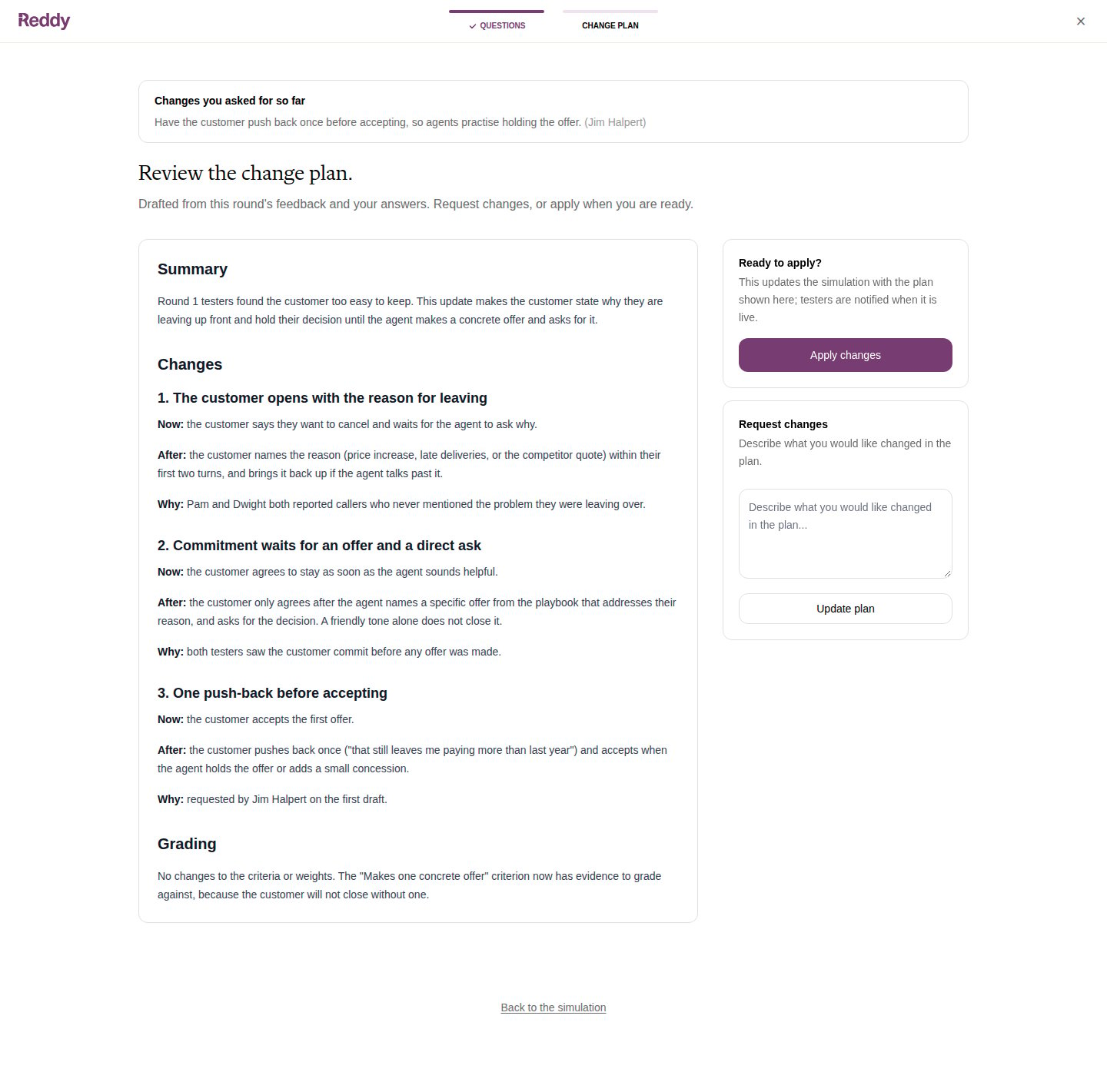 Applying asks you to confirm.
 Changed your mind about the whole review? **Start over** on the round card discards the questions and the plan and reads the round again from the start.
## While it ships
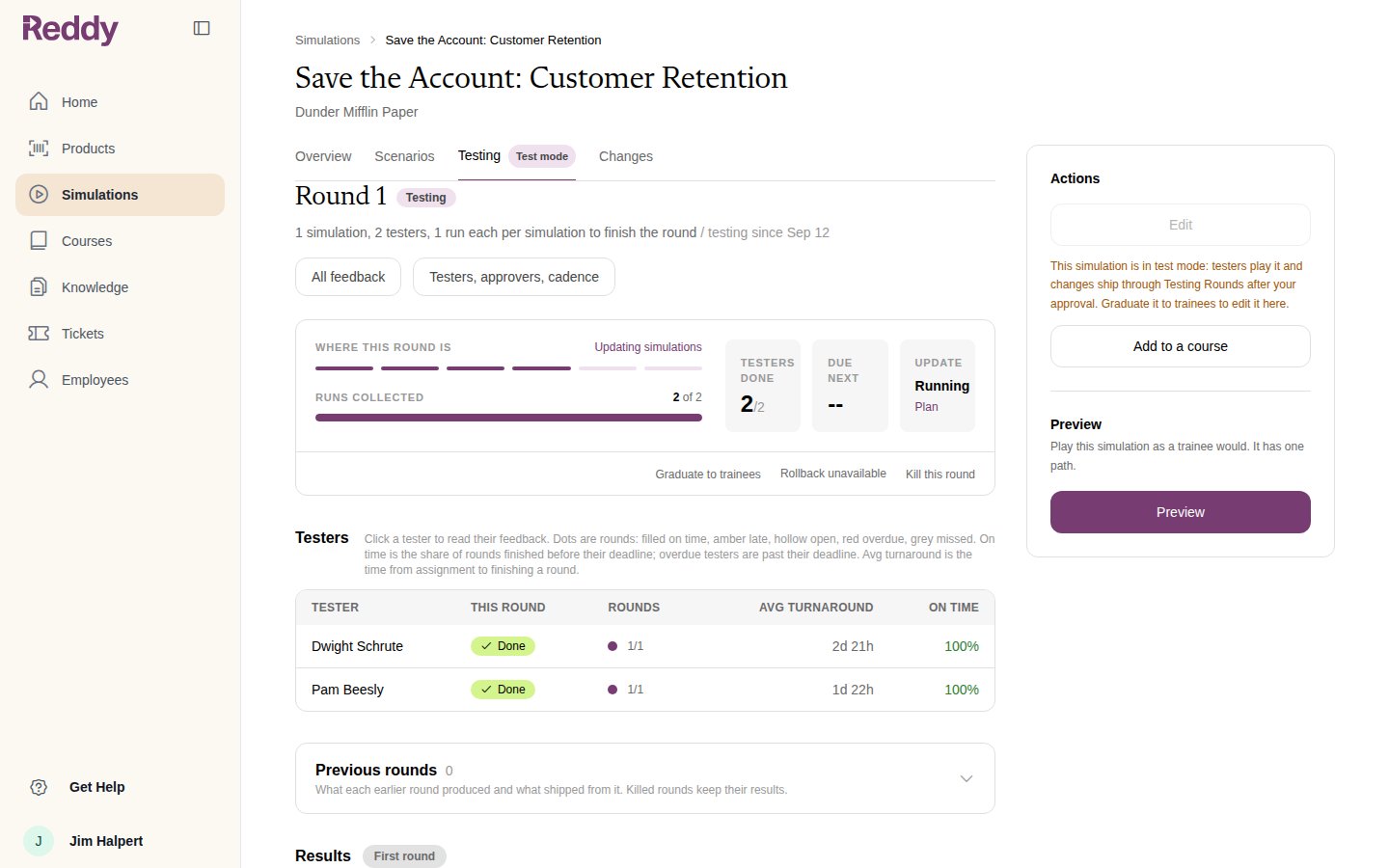
The round card reads **Updating simulations** and the update tile **Running**. This usually takes one to two hours. Testers' lessons stay locked until the new version is live.
Changed your mind about the whole review? **Start over** on the round card discards the questions and the plan and reads the round again from the start.
## While it ships
The round card reads **Updating simulations** and the update tile **Running**. This usually takes one to two hours. Testers' lessons stay locked until the new version is live.
 ## The next round
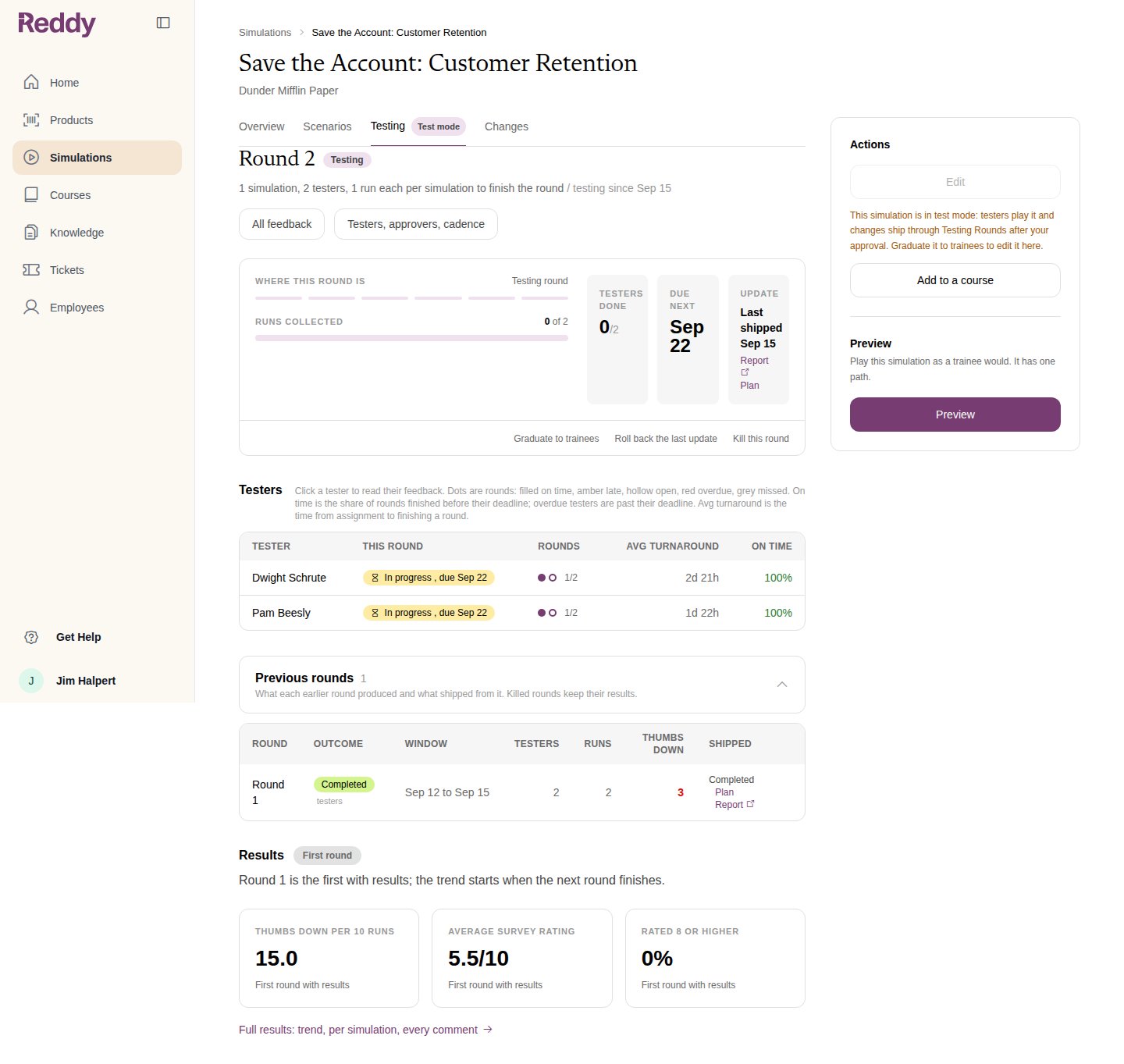
When the update lands, the next round opens on the new version and testers are notified. The update tile shows **Last shipped** with the **Report** Reddy wrote and the **Plan** you approved. The shipped change is also a new version on the Changes tab; see [Versions and Audit Trail](/manual/training/changes-and-versions).
## The next round
When the update lands, the next round opens on the new version and testers are notified. The update tile shows **Last shipped** with the **Report** Reddy wrote and the **Plan** you approved. The shipped change is also a new version on the Changes tab; see [Versions and Audit Trail](/manual/training/changes-and-versions).
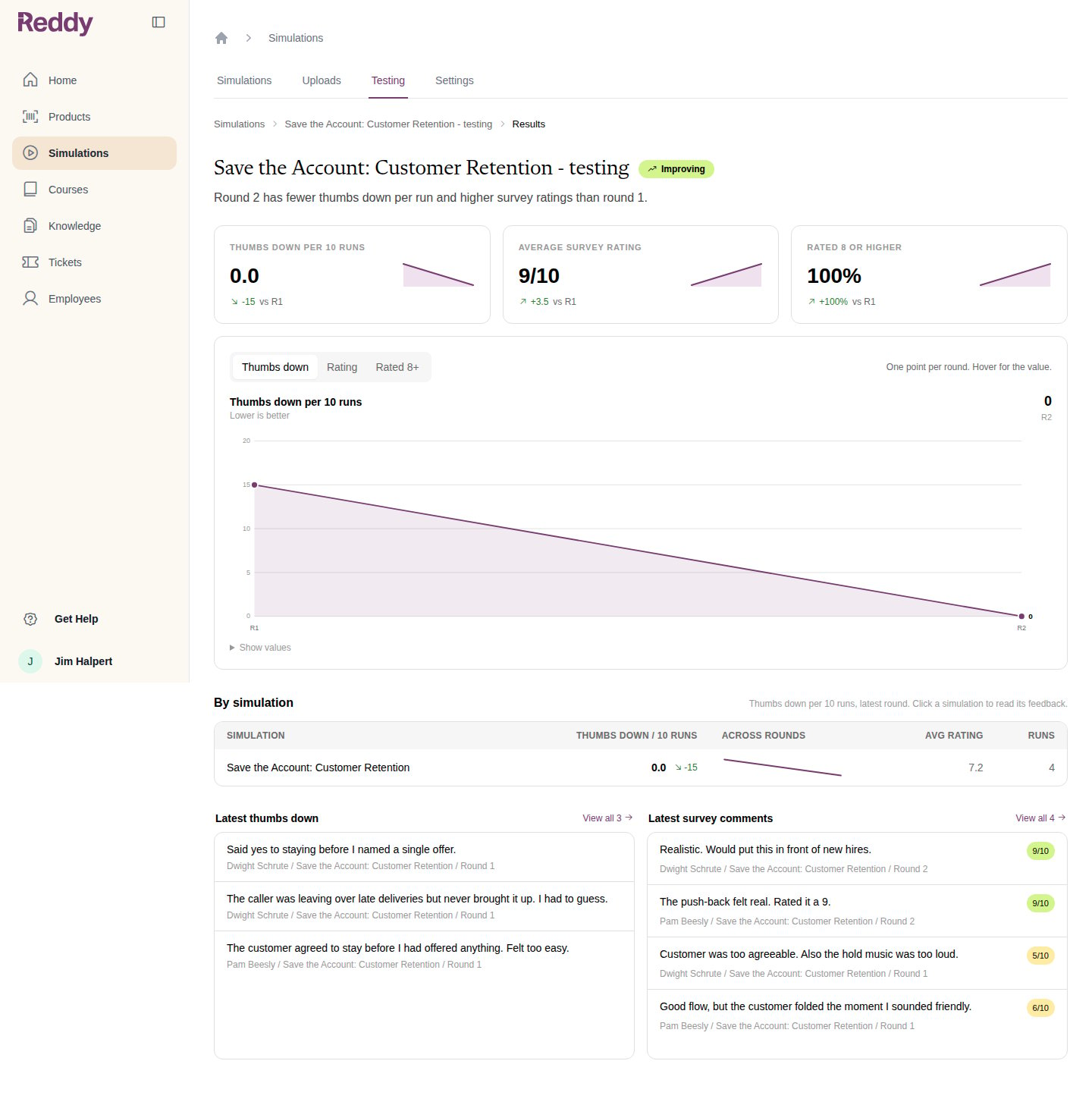
 **Full results** shows the trend across rounds: thumbs down per 10 runs, average survey rating, the share rated 8 or higher, and every comment.
 When a round comes back clean, Reddy records that nothing needs to change and the Testing tab suggests graduating. See [Graduating to Trainees](/manual/training/graduating-to-trainees).
## FAQ
Use **Request changes** to tell Reddy what should be different. It redrafts, and your requests stay listed above the plan so the history is clear.
Ask for it to be dropped in **Request changes**, or answer the related question to steer it. Findings you dismiss are remembered so Reddy does not raise them again from the same feedback.
The round waits. Testers' lessons stay locked until an approver answers or someone kills the round. Approvers are notified in the app when questions or a plan are waiting on them.
On the simulation's **Changes** tab, or under **Previous rounds** on the Testing tab.
When a round comes back clean, Reddy records that nothing needs to change and the Testing tab suggests graduating. See [Graduating to Trainees](/manual/training/graduating-to-trainees).
## FAQ
Use **Request changes** to tell Reddy what should be different. It redrafts, and your requests stay listed above the plan so the history is clear.
Ask for it to be dropped in **Request changes**, or answer the related question to steer it. Findings you dismiss are remembered so Reddy does not raise them again from the same feedback.
The round waits. Testers' lessons stay locked until an approver answers or someone kills the round. Approvers are notified in the app when questions or a plan are waiting on them.
On the simulation's **Changes** tab, or under **Previous rounds** on the Testing tab.