> ## Documentation Index
> Fetch the complete documentation index at: https://docs.reddy.io/llms.txt
> Use this file to discover all available pages before exploring further.
# Login to Reddy
> Step-by-step guide to access your Reddy account through the web interface
Follow these steps to log in to your Reddy account and access the platform.
## Getting Started
Launch Chrome or Edge browser on your computer.
Go to [app.reddy.io](https://app.reddy.io) in your browser.
If bookmarking for easy access, be sure to only bookmark "app.reddy.io" and not the dynamic auth link that it redirects you to.
Enter your company email address including the domain (e.g., `user@companyname.com`).
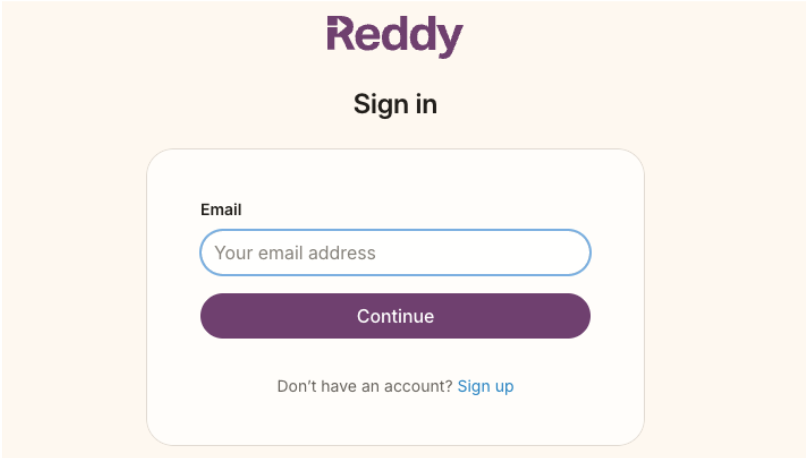 Your company's Single Sign On (SSO) may take over the login process. If it does:
* **Login via your normal process** - Follow your company's standard SSO flow
* **If you're already logged in** - You'll be taken directly to your dashboard
Once authenticated, you'll be redirected to the appropriate section of the platform based on your role:
* **Reddy Dashboard** (for Admins and Managers)
* **Mic Check + LMS** (for Agents)
You're now successfully logged in to Reddy and ready to start using the platform.
## Next Steps
After logging in successfully:
* **Admins and Managers**: Start by exploring the dashboard and configuring your settings
* **Agents**: Complete the mic check and begin your first LMS session
Need help with your account or experiencing login issues? Contact your system administrator or Reddy support team.
Your company's Single Sign On (SSO) may take over the login process. If it does:
* **Login via your normal process** - Follow your company's standard SSO flow
* **If you're already logged in** - You'll be taken directly to your dashboard
Once authenticated, you'll be redirected to the appropriate section of the platform based on your role:
* **Reddy Dashboard** (for Admins and Managers)
* **Mic Check + LMS** (for Agents)
You're now successfully logged in to Reddy and ready to start using the platform.
## Next Steps
After logging in successfully:
* **Admins and Managers**: Start by exploring the dashboard and configuring your settings
* **Agents**: Complete the mic check and begin your first LMS session
Need help with your account or experiencing login issues? Contact your system administrator or Reddy support team.